Connect MiaRec to Genesys Cloud
This article explains how a tenant administrator connects MiaRec to your Genesys Cloud organization.
The system operator must have set up the Genesys Cloud integration in MiaRec first. If you don't see Genesys Cloud in the list of integrations, contact your system operator.
Have the values from Genesys Cloud configuration and Amazon SQS and EventBridge configuration ready.
Step 1. Open the connection form
- Sign in to the MiaRec web portal as a tenant administrator.
- Go to Administration > System > Integrations.
- On the Genesys Cloud card, select Connect.
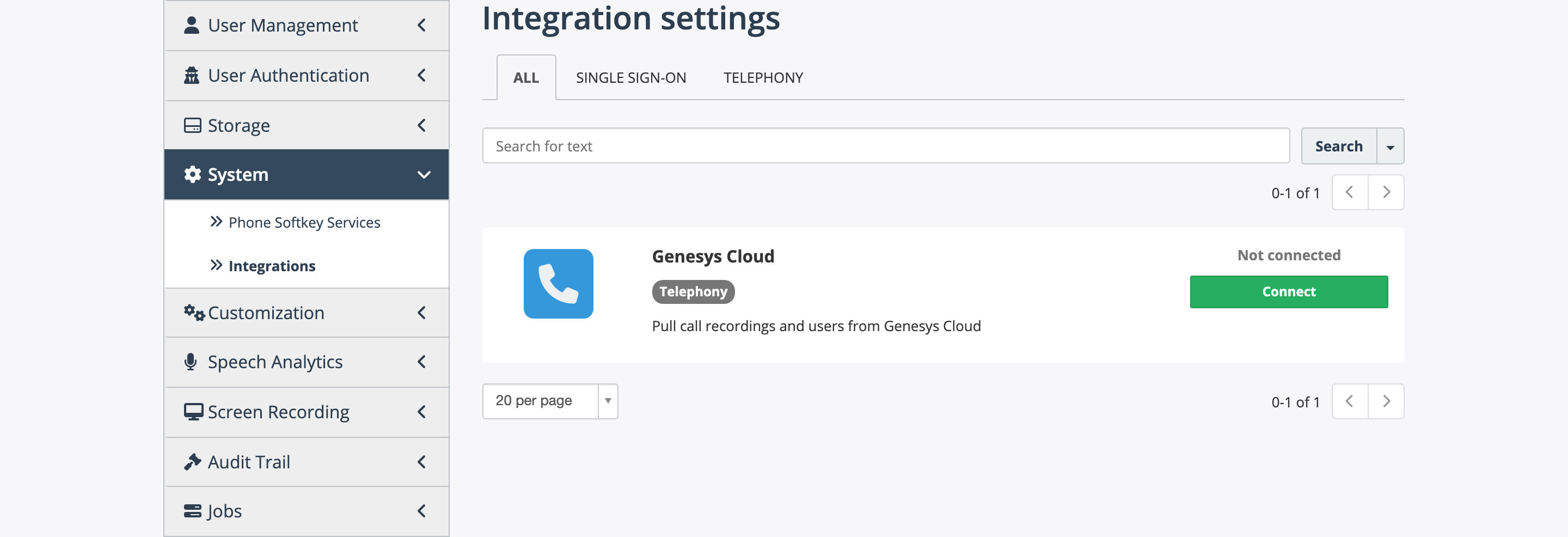
Step 2. Enter the settings
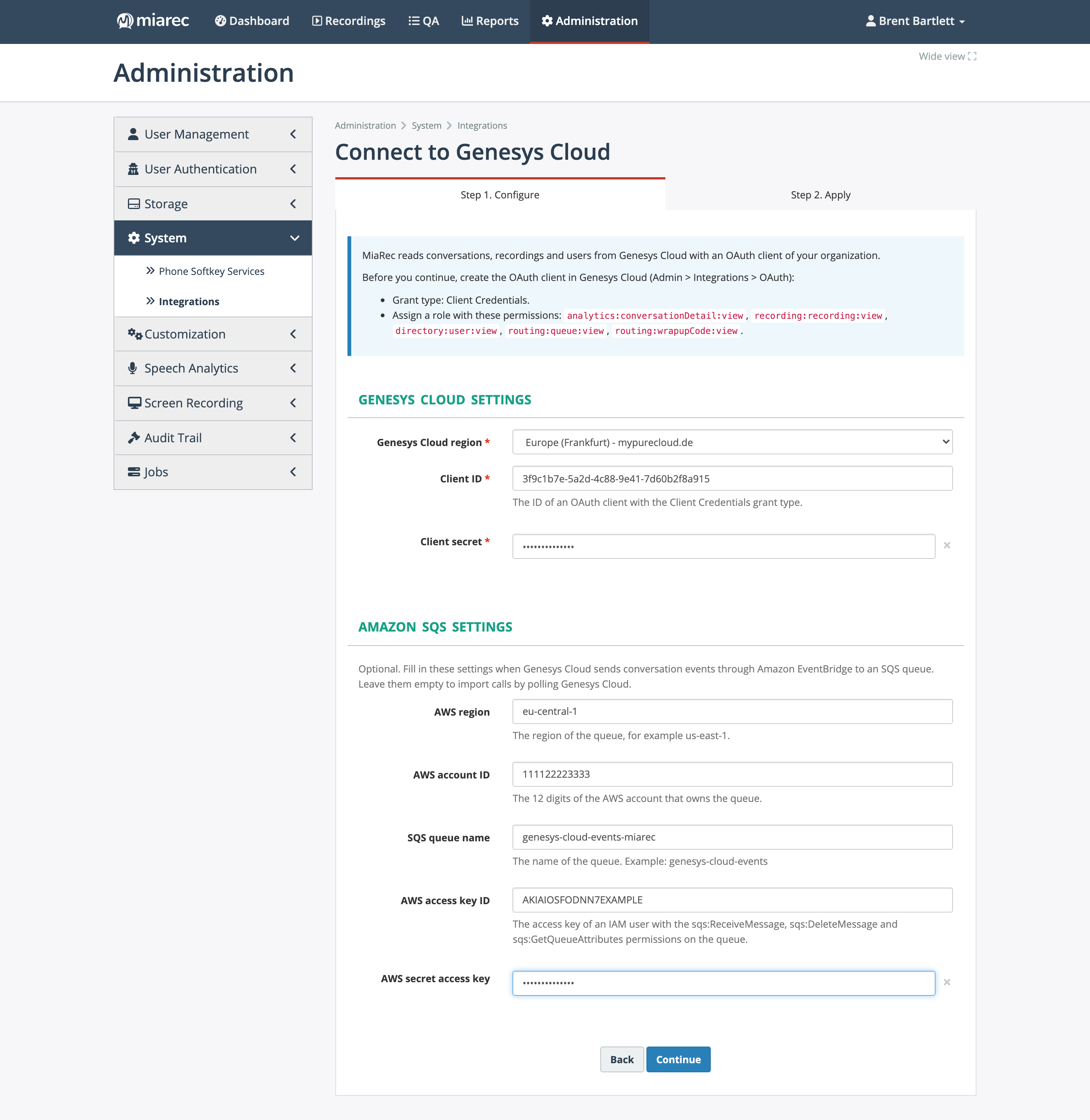
Under Genesys Cloud Settings, enter the following values:
- Genesys Cloud region: the region of your organization.
- Client ID and Client secret: of the OAuth client that you created for MiaRec.
Under Amazon SQS Settings, enter the following values:
- AWS region: the region of the queue, for example
eu-central-1. - AWS account ID: the 12 digits of the AWS account that owns the queue.
- SQS queue name: the name of the queue, not its URL or ARN. MiaRec builds the URL.
- AWS access key ID and AWS secret access key: of the IAM user that you created for MiaRec.
Enter all the Amazon SQS settings, or none of them. Without them, MiaRec can import calls only by polling.
The form doesn't show every field
The form leaves out what the system operator decides for the integration. For example, it doesn't ask for an access key when MiaRec reads the queue with the IAM role of its server.
Step 3. Check the results
Select Continue. MiaRec checks the settings, shows the result of each check, and creates the connection when the checks pass.
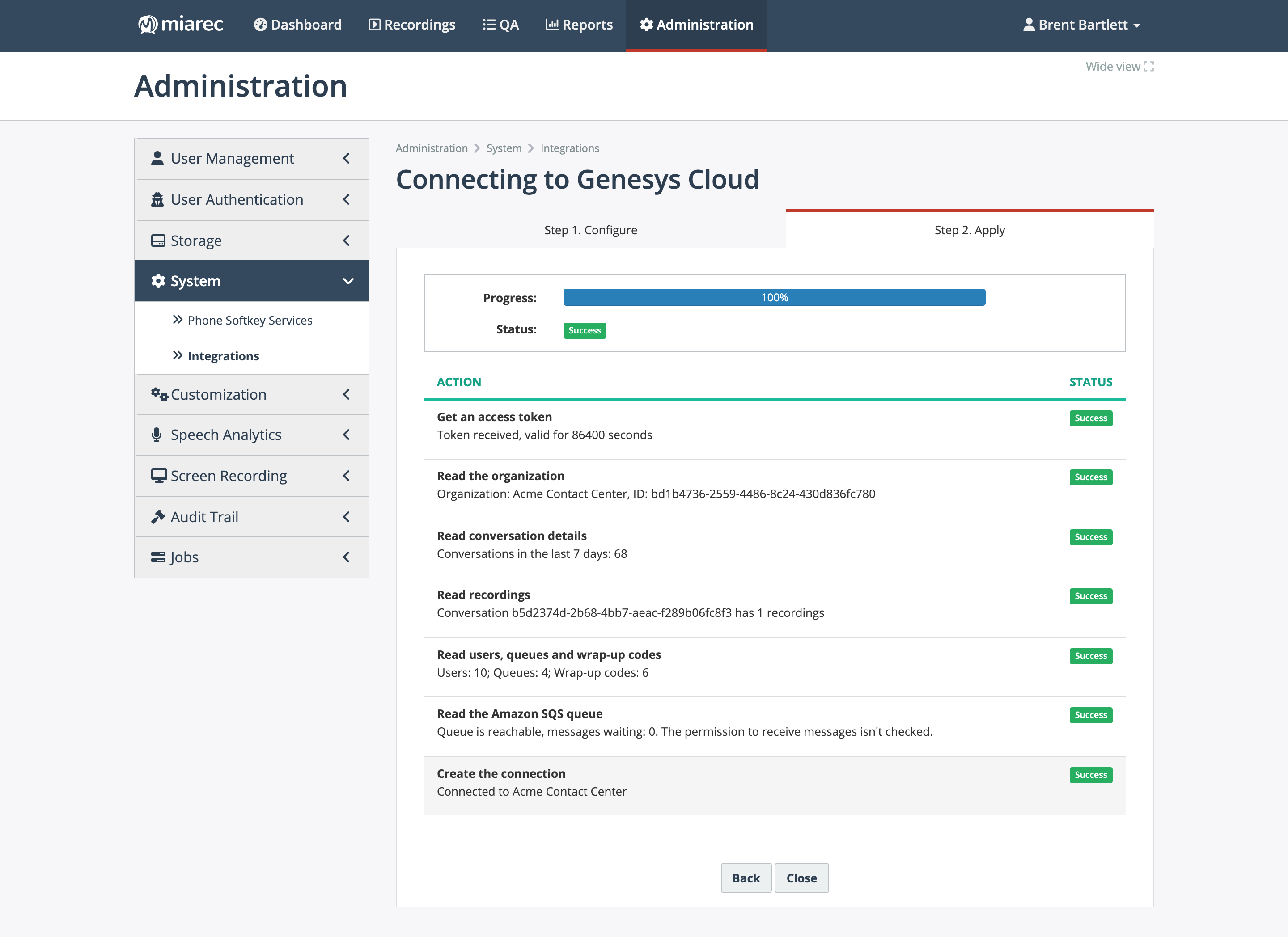
| Check | What it verifies |
|---|---|
| Get an access token | The region, the client ID, and the client secret |
| Read the organization | Access to the Genesys Cloud API. Shows the name and ID of your organization. |
| Read conversation details | The permission analytics:conversationDetail:view |
| Read recordings | The permission recording:recording:view |
| Read users, queues and wrap-up codes | The permissions for the directory and routing |
| Read the Amazon SQS queue | The AWS settings and the permission sqs:GetQueueAttributes |
| Create the connection | Creates the connection |
Some results need an explanation:
- Read recordings is skipped when there was no call in the last 7 days. Run the test again after the first call.
- Read the Amazon SQS queue doesn't verify the permissions
sqs:ReceiveMessageandsqs:DeleteMessage. The check takes no message from the queue. If one of these permissions is missing, the pull calls job reports it.
If a check fails, select Back, correct the settings, and select Continue again. See Troubleshooting.
Select Close. The card of the integration now shows 1 connection(s).
Step 4. Ask the system operator to create the jobs
The connection alone doesn't import anything. Tell your system operator that the connection is ready, and agree on:
- the role and group of the users that the jobs create;
- whether all Genesys Cloud users are imported, or only those of some divisions, groups, teams, queues, roles, or departments;
- whether the calls of the last 30 days are loaded.
The system operator continues with Synchronization jobs.
Manage the connection
To open the connection, go to Administration > System > Integrations, select View connections on the Genesys Cloud card, and then select View.
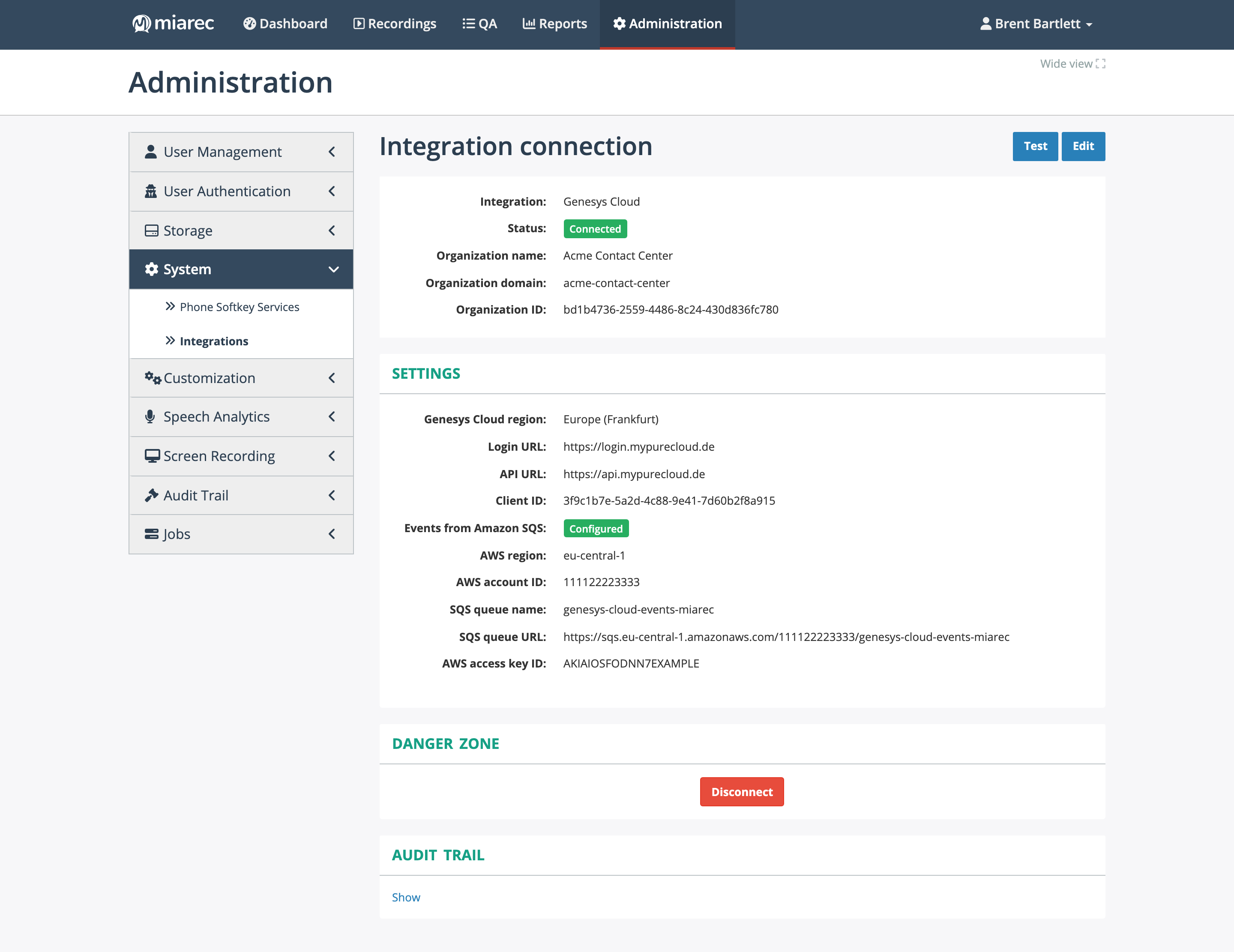
Test the connection
Select Test, choose the tests to run, and select Continue. The test changes nothing and takes no message from the queue, so you can run it at any time.
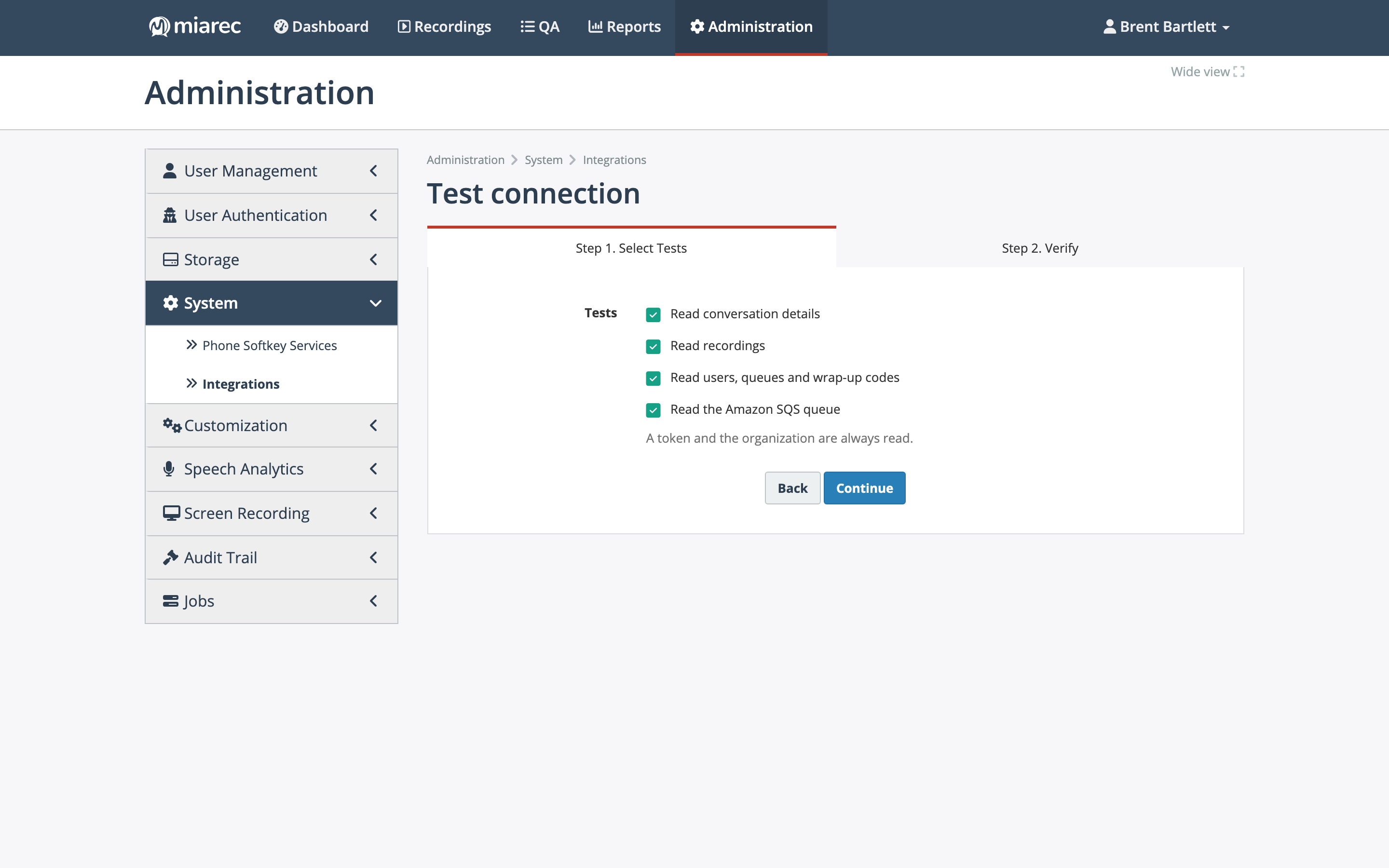
Change the settings
Select Edit. For example, enter the new client secret after you generated one in Genesys Cloud. Leave a secret empty to keep the stored one.
Disconnect
Under Danger zone, select Disconnect, and enter the name of your Genesys Cloud organization to confirm. MiaRec stops importing calls and users. Calls, recordings, and users that are already in MiaRec stay. Ask the system operator to delete the jobs of the connection: without the connection, they fail.
After you disconnect, deactivate the Amazon EventBridge integration in Genesys Cloud, and delete the OAuth client, the rule, the queue, and the IAM user, if nothing else uses them.