Storage targets
A storage target is a named connection to a storage destination — a local directory, a network share, an FTP/SFTP server, or an S3 bucket. Targets are referenced everywhere the platform reads or writes files: recording storage, upload settings, export / import jobs, relocation, and replication.
Where: Administration › Storage › Storage Targets. The cross-tenant list shows each target's Tenant, Name, Type, and Root Path, with Add / Delete, a tenant filter, and per-row View / Edit.
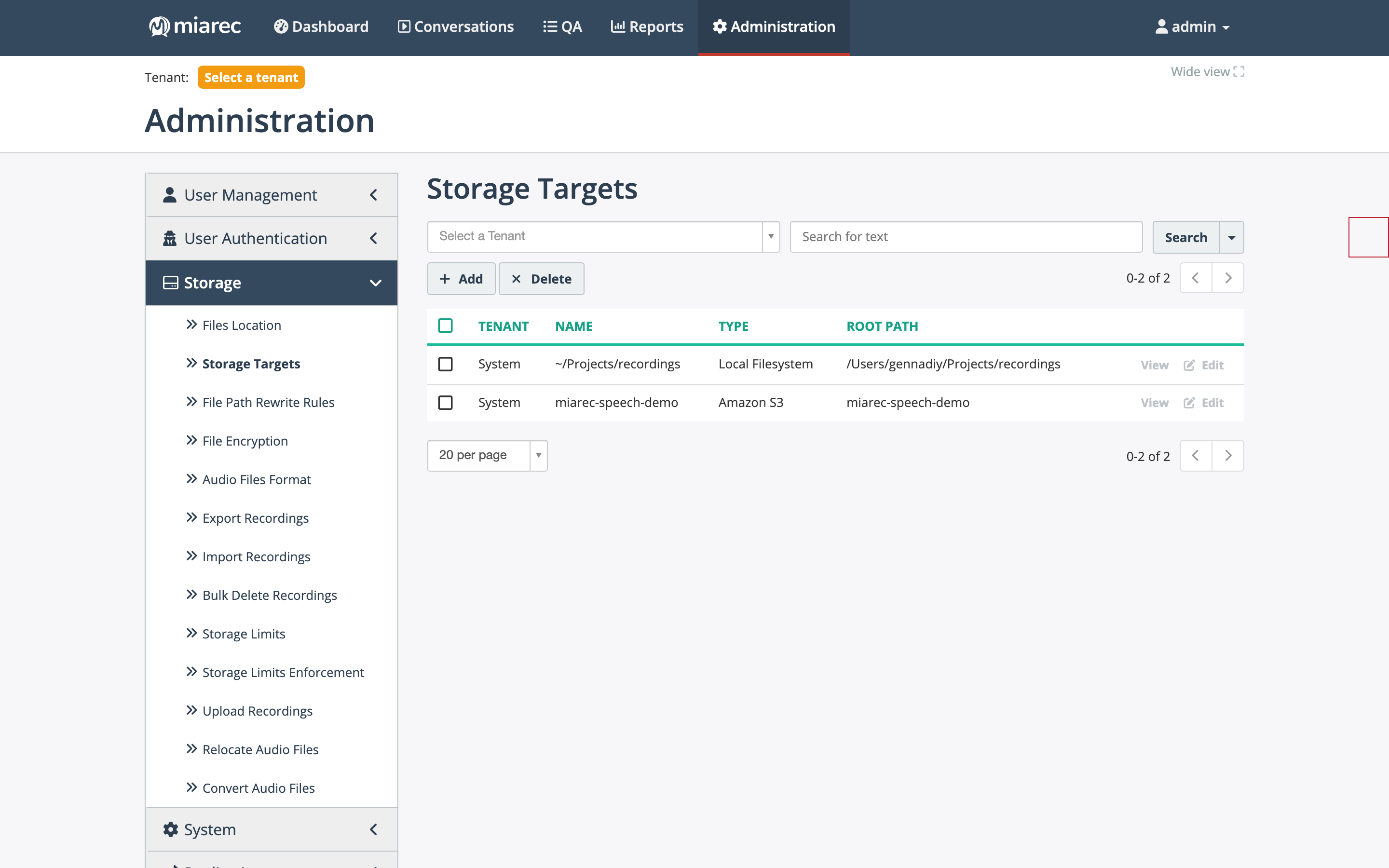
The Storage Targets list. Notice the Tenant column — targets belong to the System tenant or to an individual tenant, and jobs can only use targets visible in their scope.
Storage types
Operators can create targets of all five types:
| Type | Settings |
|---|---|
| Local Filesystem | Base path on the server's file system |
| Network Share (SMB) | Host, Port, User, Password, Base path, direct TCP option |
| FTP/FTPS | Host, Port, User, Password, TLS options (require TLS / implicit TLS), Base path |
| SFTP | Host, Port, User, Password or SSH key, Base path, atomic POSIX rename option |
| Amazon S3 | S3 Bucket, AWS Access Key ID / Secret Access Key, S3 Endpoint URL, Region, AWS Signature Version, server-side encryption option |
The S3 type works with any S3-compatible service via the endpoint URL.
Customer-visible types
Tenant administrators can also define storage targets for their own organization, but only of the FTP/FTPS, SFTP, and Amazon S3 types — Local Filesystem and Network Share (SMB) are operator-only, since they expose the server's own file system and network. See Storage targets in the Administration Guide for the customer-facing view.
Tenant scoping
Each target belongs to a tenant. System-tenant targets serve platform-wide functions — for example, the upload feature stores files to a System-level target. Tenant-scoped targets support per-tenant scenarios such as exporting one tenant's recordings to that customer's own S3 bucket.
Adding and testing
Click Add, pick the type, fill in the connection settings, and use Save and Test to verify the connection immediately. On a saved target's page, Test a Connection re-checks reachability and authentication — useful after credential rotations or firewall changes. Secrets are hidden on the view page.
Related pages
- Files location — where the recorder writes new recordings.
- Export and backup / Import recordings — jobs reading from and writing to targets.
- Storage targets in the Administration Guide — what tenant administrators can manage themselves.