AI tasks (operator view)
An AI task couples a prompt with a destination that routes the AI's output into product data — a summary, sentiment scores, topics, custom fields, a note, speaker labels, or an Auto QA evaluation. What tenant administrators can do with tasks is covered in the Administration Guide; this page covers the operator side: global tasks, per-tenant overrides, execution, and token limits.
Everything lives on one tabbed page: Administration › Conversation Analytics › AI Tasks.
Global tasks
The Global Tasks tab holds tasks defined in the System tenant with global visibility — the shared catalog every tenant receives (conversation summary, sentiment score, topic analysis, CX-metric extractors, and so on). Each card shows the task's enabled state and how many tenants have overridden it.
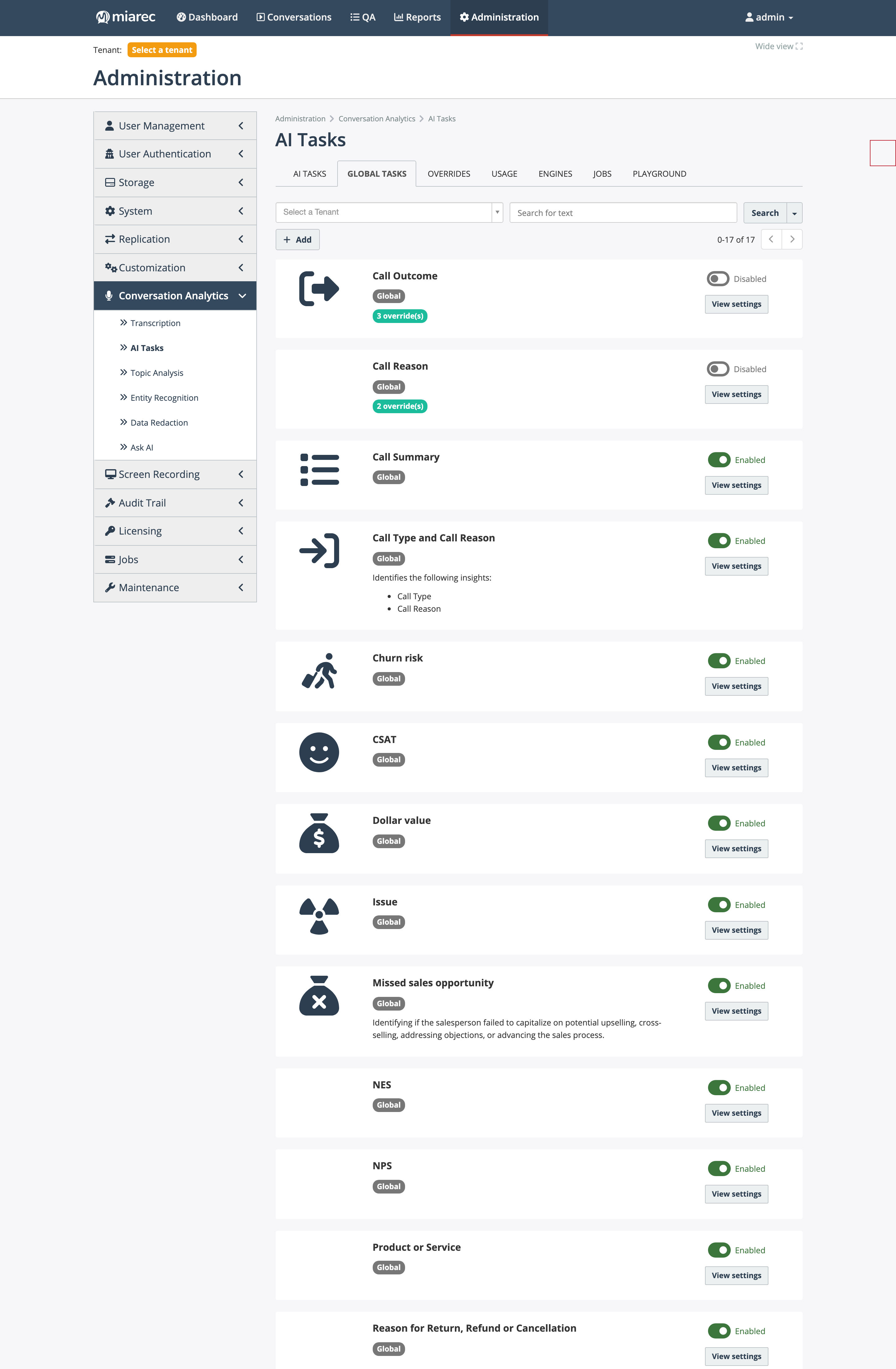
The Global Tasks tab. Notice the per-task Enabled/Disabled toggles and the override count badges (for example "3 override(s)" on Call Outcome) — the quickest way to see which global defaults tenants have customized.
Maintaining the global catalog is an operator responsibility: a well-curated set of global tasks means new tenants get working analytics with zero per-tenant configuration.
Per-tenant state and overrides
- The AI Tasks tab is a per-tenant rollup: for each tenant, how many global tasks apply, how many are overridden, and how many tenant-local tasks exist.
- The Overrides tab lists every override: tenant, task, status, whether the prompt is Default/Overridden, and filters. An override toggles enablement, the prompt, and the filtering criteria independently of the global definition — the task's type, destination, and engine remain fixed.
Tenant administrators create their own overrides and local tasks from the same page in their scope; use the Overrides tab to review what tenants changed before you modify a global prompt they may depend on.
How tasks execute
Tasks are executed by the AI Assistant job (see the pipeline overview), which typically consumes the queue fed by the transcription job. Per conversation, the job runs every applicable enabled task, in a fixed destination order — speaker labels are resolved first (so later prompts see labeled speakers) and Auto QA runs last. The job itself carries:
- AI Assist engine — the default generative AI engine; an individual task can pin a different engine.
- Process tasks — all tasks, or an explicit selection.
- Filtering criteria — which conversations are processed. Only conversations of users holding the Speech analytics license are scored; unlicensed conversations are counted as license errors.
Task prompts split into Task instructions and Task inputs (which must contain ${transcript}), each
capped at 8 KB, with a configurable response token limit (default 8,192, maximum 64,000). Long silences
in the conversation are marked in the transcript sent to the AI.
Usage and token limits
The Usage tab meters LLM consumption per tenant: used tokens, tokens/minute, and denied requests, with a historical chart. Token accounting weights input and output tokens by the engine's cost ratios (see Generative AI engines).
Limits are set on the tenant page (Service limits) with the same four knobs as transcription minutes: LLM tokens per user / per organization, monthly / lifetime — pooled semantics included (see Tenant configuration). When a limit is exhausted, the request is refused before the engine is called and counted as a denied request; the affected conversations are simply not analyzed until the limit resets or is raised.
Monitoring
- The Jobs tab shows the AI Assistant job(s) with runs, processing records, and logs — the same monitoring workflow as transcription.
- The Playground tab opens the AI Playground for testing prompts against real conversations without persisting anything.
Related pages
- Generative AI engines — the engines tasks run on (operator-only).
- Auto QA operations — the Auto QA destination end to end.
- AI tasks in the Administration Guide — the tenant administrator's view of the same page.