Configuring topics
A topic is a named subject your organization wants to detect in conversations — "Order cancellation", "Frustration", "Competitors mentioned". The AI reads each transcript and records which topics were discussed; results surface on dashboards, in search, and on the conversation's Analytics tab. This page covers defining and managing the topic list; for how users work with detected topics, see Topics in the User Guide.
Where: Administration › Conversation Analytics › Topic Analysis. The list shows each topic's name, status, engine, and color, with Add, Delete, Export, and Import buttons and an advanced search tab.
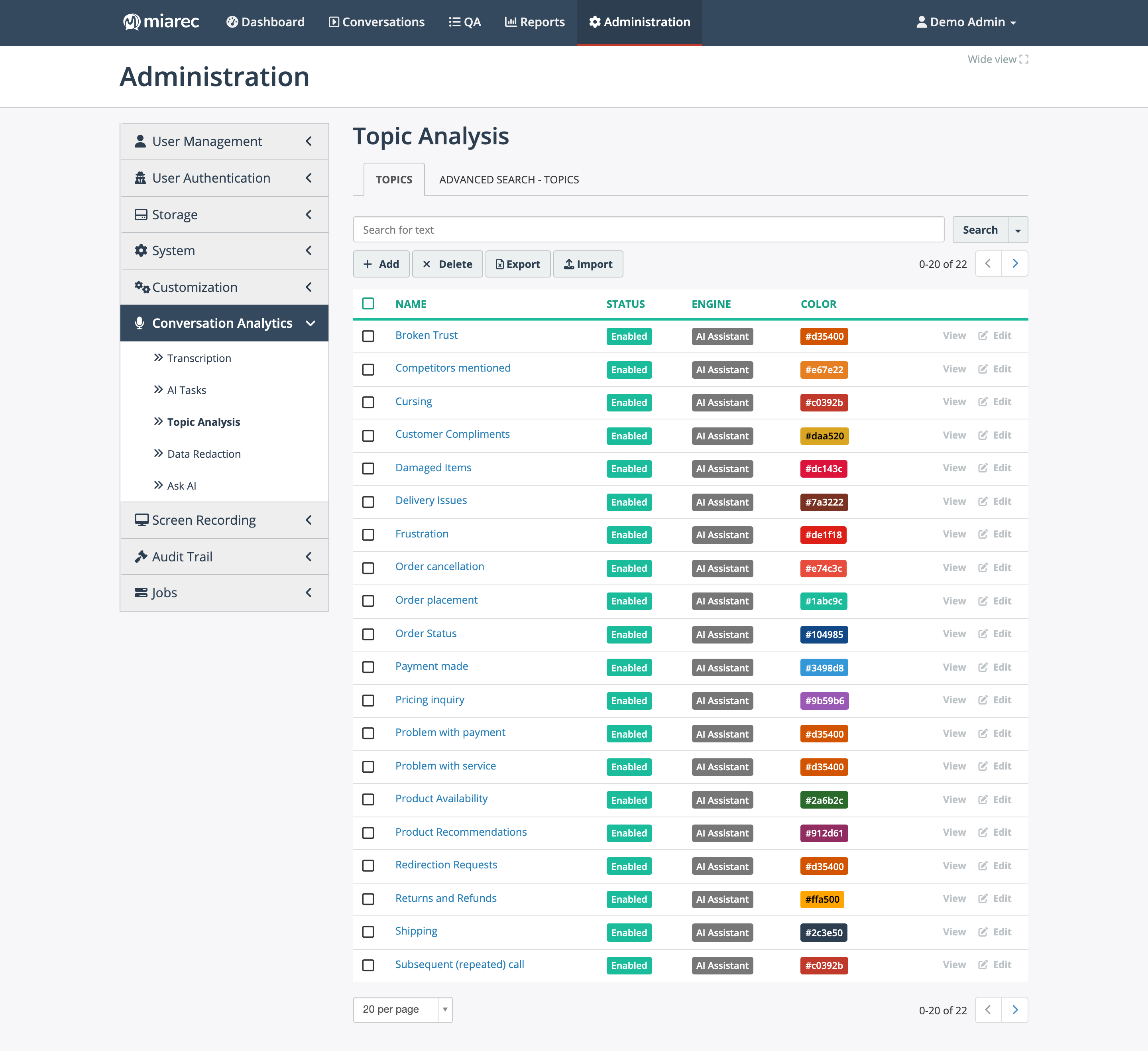
The topic list. Notice the Engine column — these topics all use AI matching ("AI Assistant") — and the per-topic colors used across dashboards and conversation pages.
Adding or editing a topic
Click Add (or Edit on an existing topic) and configure:
- Enable — whether the topic is detected.
- Name — shown everywhere the topic surfaces; keep it short and unambiguous.
- Color — used to distinguish topics visually on dashboards and conversation pages.
- Description — the heart of an AI-matched topic: it tells the AI what the topic means. Describe where the topic applies and where it does not; a couple of clarifying sentences measurably improves accuracy.
- Engine — how the topic is matched (see below).
- Speaker — whether to look for the topic in what the Agent says, the Customer says, or Both.
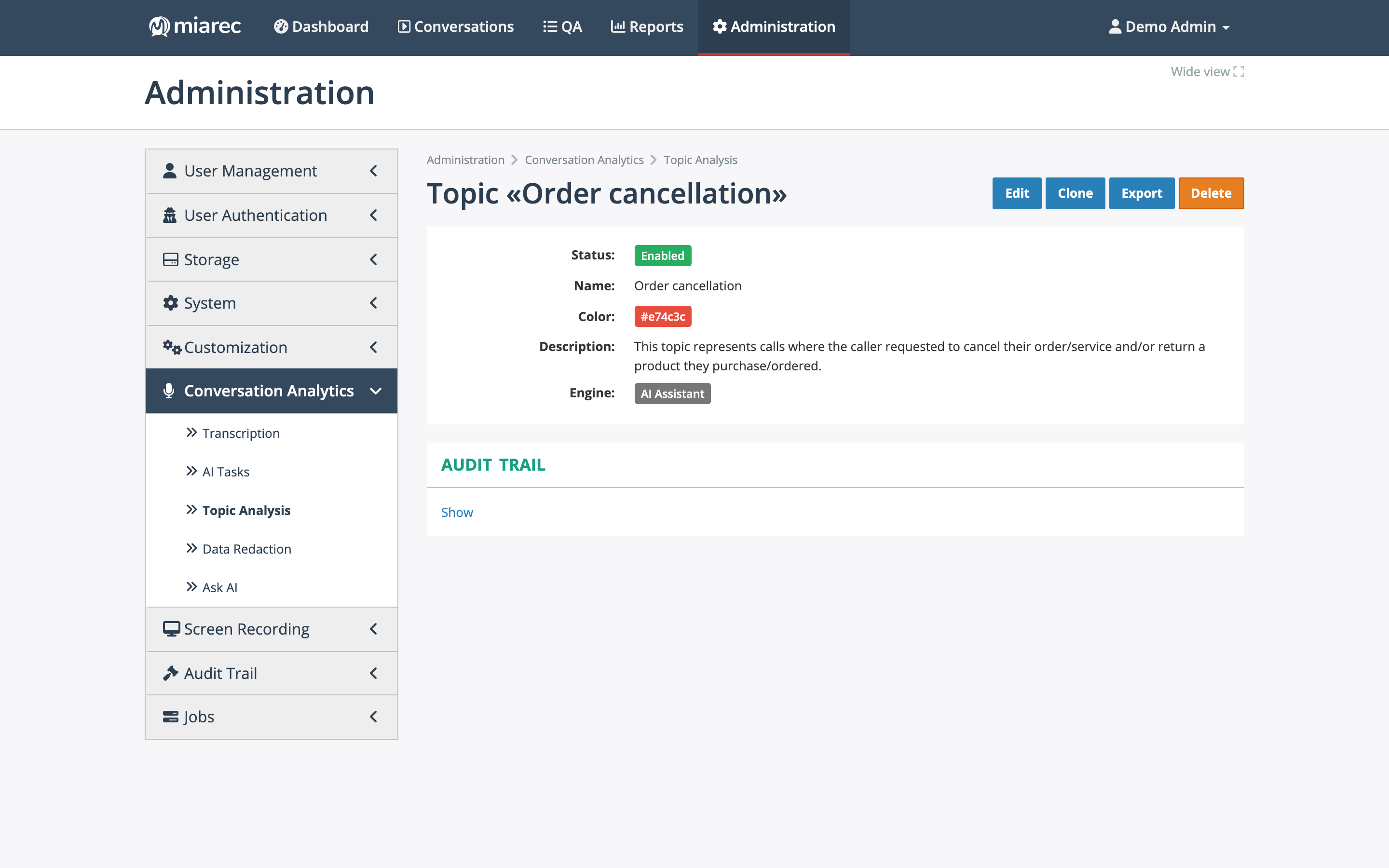
A topic configured with AI matching. Notice the description — it is the instruction the AI uses to decide whether the topic applies.
Matching engines: use AI matching
- AI Assistant (recommended) — the AI receives the topic's name and description and decides whether the conversation discusses it, returning the matched phrases and an explanation. It understands paraphrasing and context, so you maintain a description instead of an exhaustive word list.
- Keyword match (deprecated) — legacy keyword spotting: the topic matches only when one of its listed keywords or phrases appears in the transcript. Existing keyword topics keep working, but this engine is deprecated — create new topics with AI matching, and consider migrating keyword topics by writing a description and switching their engine.
A topic using keyword matching has an additional Keywords section listing the words and phrases to spot.
Import and export
Use Export and Import on the topic list to move topic definitions in bulk — for example, to back up your topic list or copy it between environments. Import lets you choose how existing topics are updated.
Related pages
- Topics in the User Guide — where detected topics appear.
- Topic dashboards — distribution and trends.
- AI tasks — topic detection runs as an AI task (destination Topics).