Recording
This release fixes a recorder timer defect that stopped scheduled work after weeks of uptime, adds a watchdog for that case, and adds configurable SIPREC parsing rules for vendors that MiaRec does not recognize by default. The screen recorder adds a health check endpoint and TLS for its database and Redis connections.
Recorder stability
Fix for system administrators.
After about 25 days of host uptime, and every 50 days after that, an arithmetic overflow in the recorder's timer subsystem inflated every running timer by about 25 days. Calls kept recording, but everything driven by a timer stopped: the five-minute heartbeat that tells the web portal the recorder is active, nightly trace log rotation, periodic tasks, and session timers. The web portal then showed no active recorder, license refresh wrote empty license sets, and transcription jobs failed with "User has no speech analytics license". A service restart did not help. Only a host reboot did.
Affected versions. The defect shipped in recorder 2025.12.2.x (releases of 2025-12-02 and 2026-01-11) and 2026.2.24.0 (release of 2026-06-13). Recorder 2025.11.3.0 and earlier are not affected. Recorder 2026.8.16.0 in this release contains the fix. Until an affected recorder is upgraded, reboot its host before uptime reaches 25 days, and then every 50 days after that.
See Recorder servers.
SIPREC parsing rules
New feature for system administrators.
A SIPREC parsing rule tells the recorder how to recognize calls from a vendor whose metadata MiaRec does not parse out of the box. It also says where in that metadata to read the caller, called party, recorded user, agent, transfer details, and call direction. A rule has a match expression, either a POSIX extended regular expression tested against the raw metadata XML or an XPath 1.0 expression.
Rules live in the recorder configuration as [Protocol::SIPREC::Parser::<Name>] sections and
are managed in the web portal under Administration > System > Recording
Interfaces > Parsing Rules on the SIPREC row.
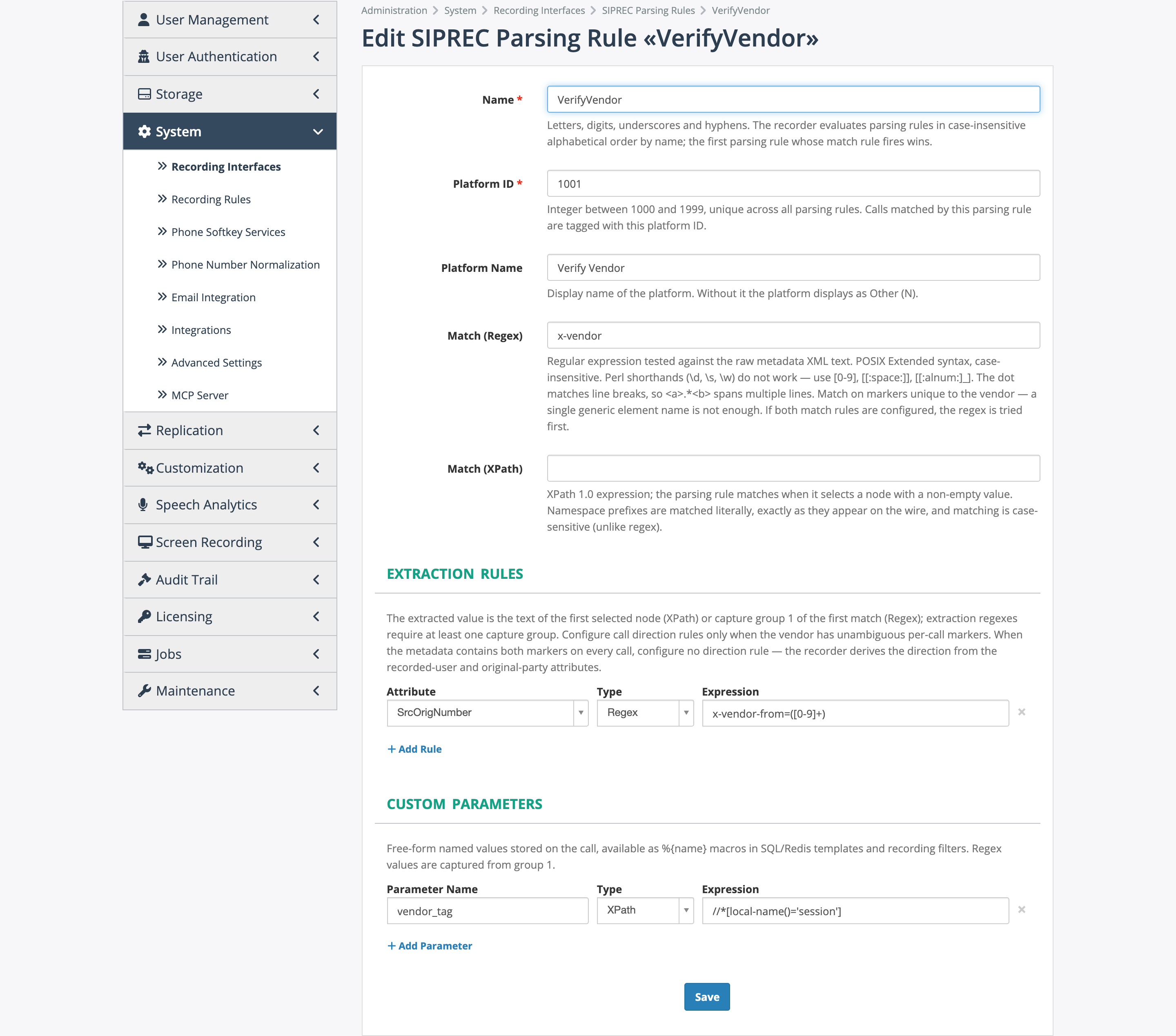
The edit form of a parsing rule, with one extraction rule and one custom parameter.
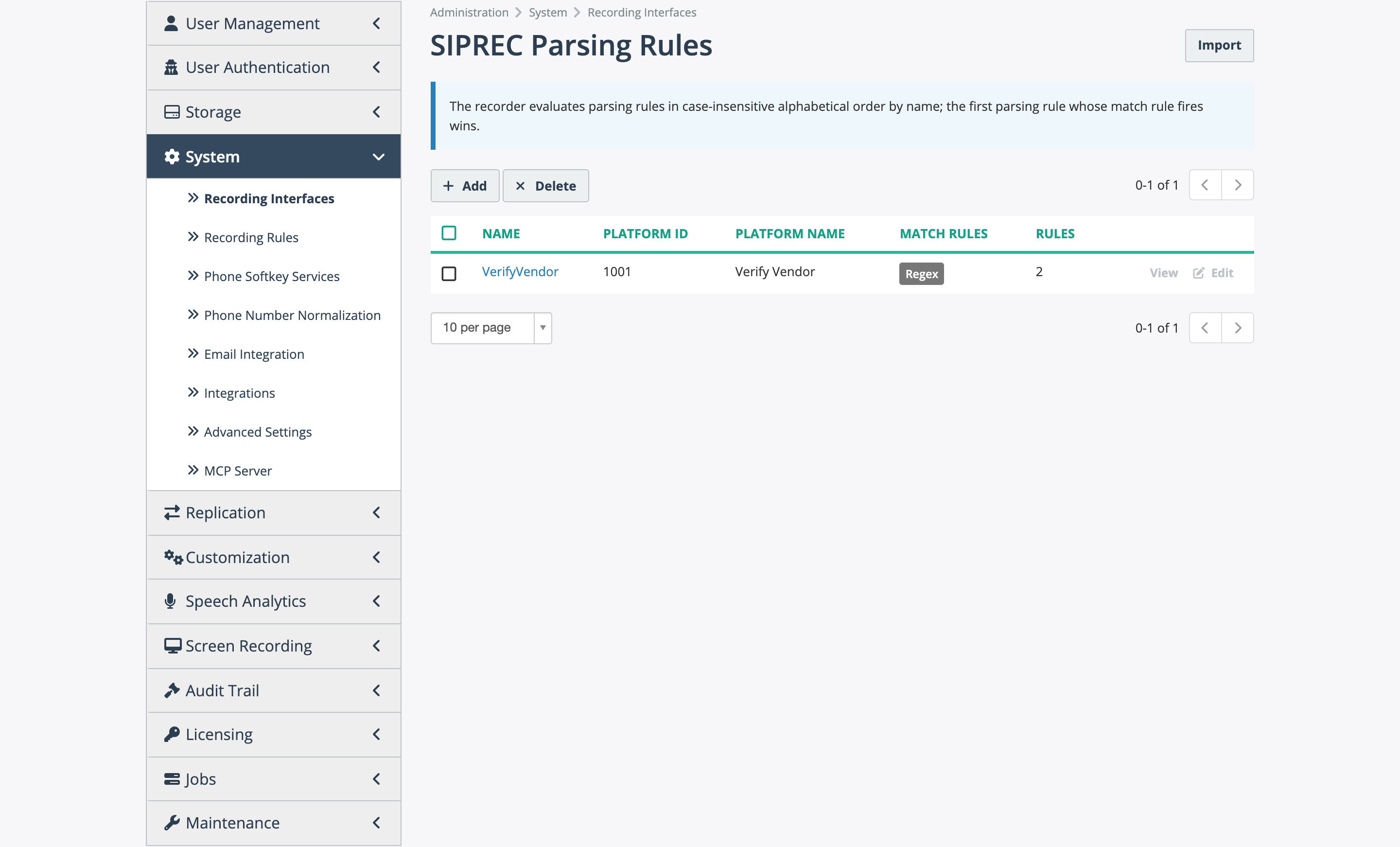
The parsing rules list under Recording Interfaces.
Two template macros are new: %{orig-caller-id} and %{orig-callee-id} return the original
party identifiers extracted by a rule. The %{platform-name} macro returns the configured name
for a custom platform, or "Other (N)" when no rule defines it.
See Recording interfaces and Recorder servers.
Call - Platform search filter
Improvement for all users.
Advanced search offers a Call - Platform filter with a select list of the built-in platforms, such as BroadWorks, Microsoft Teams, and Five9 VoiceStream, plus the platform names defined by your parsing rules.
See Advanced search.
Screen recorder health check endpoint
New feature for system administrators.
The screen recorder answers GET /health on its REST API port (default 6089) without
authentication, in the same JSON format as the recorder: status, database, and redis,
each ok, error, or disabled. It returns HTTP 200 when healthy and 503 when the database or
Redis check fails. The endpoint is rate limited to 10 requests per minute per address and 30
per minute overall, and returns 429 above that.
See Screen recording operations.
TLS for screen recorder database and Redis connections
New feature for system administrators.
The [Database] and [RedisSubscriber] sections of the screen recorder configuration accept
five keys, all off by default: UseSSL, CheckHostName, SSLCertificate, SSLPrivateKey,
and SSLCACertificates. For PostgreSQL, UseSSL=true alone requires encryption. Adding a CA
certificate verifies the server, and CheckHostName=true also verifies the host name. For
Redis, a client certificate and key are required when UseSSL=true.
See Screen recording operations.
Fixes
- SIPREC platforms no longer receive "503 Service Unavailable" when no recording license is available for a call, for example when the user has no seat and the license pool is exhausted. The session is accepted and the call is recorded as an unlicensed call: its audio is encrypted and can be decrypted on demand once a license is available. The platform stops retrying or failing over.
- The rate-limited
/healthendpoint of the recorder returns HTTP 429 instead of 500. - Screen capture clients waiting for authorization now start recording within about five minutes of being approved in the web portal. Previously the screen recorder answered them with the "forbidden" status, so they retried only every 30 minutes and the approval took up to half an hour to take effect. The pending, unknown user, and invalid states also appear by name in the screen recorder log instead of "UNKNOWN".
- The screen recorder no longer starts recording on a screen capture client whose authorization was revoked while the client stayed connected. Previously the start command was rejected only for clients in the pending state.
- The tenant filter on the screen recording desktop sessions page works for system administrators.