Sentiment
MiaRec scores the emotional tone of every analyzed conversation on a scale from -100 (most negative) to +100 (most positive). Each conversation receives three scores — overall, agent-side, and customer-side — so you can tell an upset customer apart from an unprofessional agent.
Read the sentiment of a conversation
- Open a conversation from the Conversations list.
- On the Conversation Details tab, find the Sentiment Score panel.
The panel shows the three color-coded scores (red for negative, green for positive) together with a written explanation of why the conversation was scored that way. The explanation is the evidence — it helps you trust, or challenge, the number.
Negative phrases in the transcript
When a conversation scores negatively, the phrases that contributed most to the negative score are highlighted in the transcript, so you can jump straight to the problem moments. See Transcripts.
Score bands and labels
Scores map to five labels:
| Label | Score range |
|---|---|
| Very Positive | 60 to 100 |
| Positive | 20 to 60 |
| Neutral | -20 to 20 |
| Negative | -60 to -20 |
| Very Negative | -100 to -60 |
Search by sentiment
Sentiment is available in advanced search. For example, to find all
conversations with a negative overall score, select Call - Sentiment Score, the Less than
condition, and the value 0.
The full set of sentiment search parameters:
- Call - Sentiment Score — the overall numeric score.
- Call - Sentiment Label — the overall label (Very Negative … Very Positive).
- Call - Sentiment Agent Score / Call - Sentiment Agent Label — the agent side.
- Call - Sentiment Customer Score / Call - Sentiment Customer Label — the customer side.
- Call - Sentiment Details — full-text search in the written explanation.
Sentiment across your organization
The Sentiment dashboard tab aggregates scores over time, with counters for each sentiment bucket and per-group breakdowns; the Sentiment Heatmap tab plots sentiment per user per day so spikes stand out. See Sentiment dashboards.
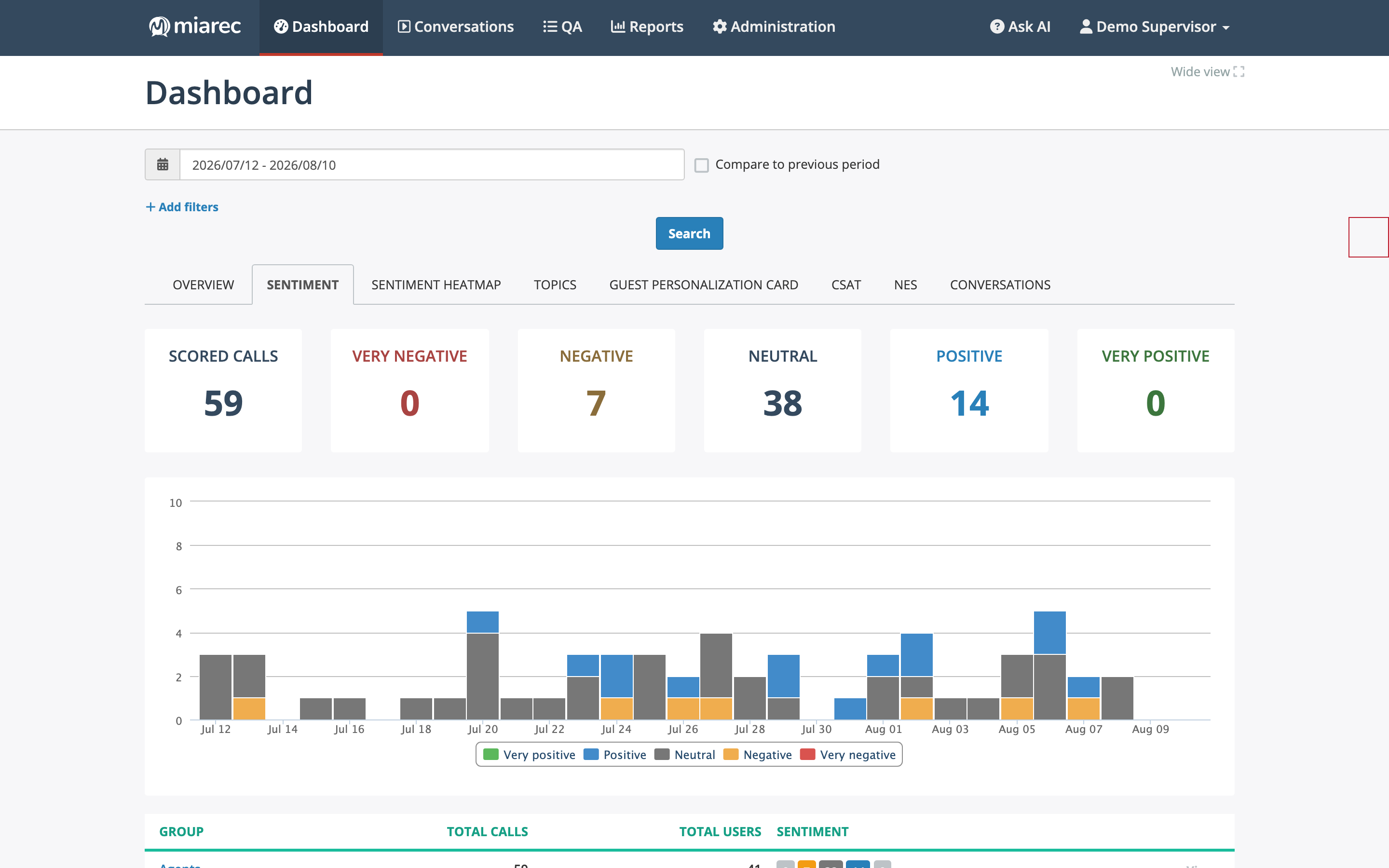
The Sentiment dashboard tab: counters for scored conversations and the five sentiment buckets, with a daily chart below. Use the date-range picker and filters at the top to narrow the view.
Sentiment score and label columns can also be added to reports — see the column reference — and shown as columns in the Conversations list if your administrator enables them (see Field visibility).
Related pages
- Summaries — the AI summary shown above the sentiment panel.
- Sentiment dashboards — trends, heatmap, and drill-down.