Transcripts
The transcript is the speaker-separated text of a conversation, produced automatically by Conversation Analytics. It is usually the fastest way to review what was said — and it is the foundation the AI summary, sentiment, topics, and Auto QA are built on.
Reading a transcript
Open a conversation's detail page and select the Transcript tab.
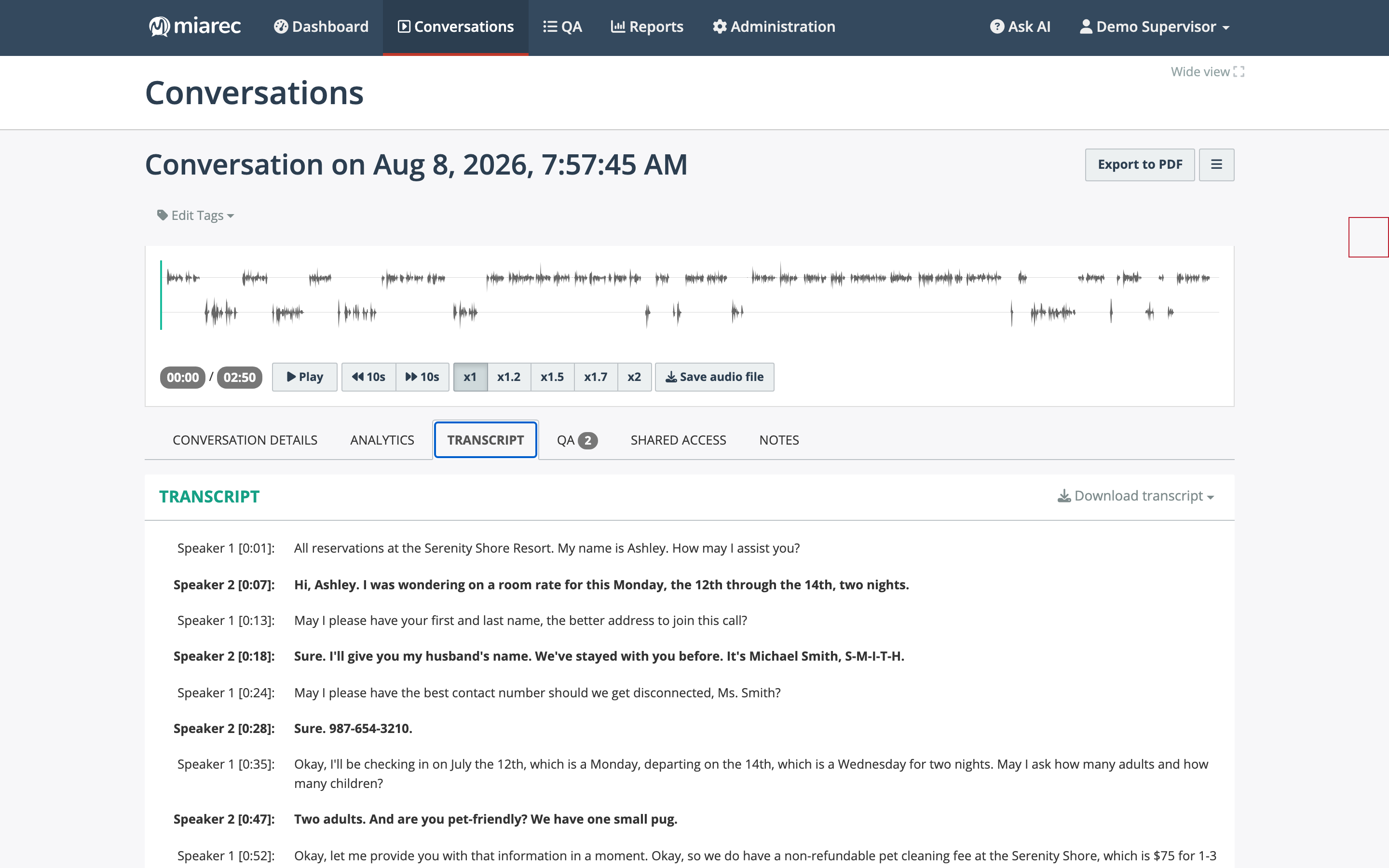
The transcript: each phrase is attributed to a speaker with a timestamp. Use Download transcript at the top right to save the text.
- Each phrase is labeled with the speaker and a timestamp. Speakers are labeled Agent and Customer when MiaRec can tell the sides apart, or Speaker 1 / Speaker 2 otherwise.
- The transcript follows playback: the current word is highlighted while audio plays, and clicking any word jumps the player to that moment.
- If redaction is enabled in your organization, sensitive content appears masked in the transcript.
A microphone icon in the Conversations list shows which conversations have a transcript.
Note
The Transcript tab appears only if a transcript exists and your role includes transcript access. A conversation may also have no transcript if it was not selected for transcription — see What AI produces on every conversation.
Commenting on a transcript
You can attach a comment to a specific passage: select the text with your mouse, and an Add note form appears below the selection. The comment is saved as a note anchored to that time range and is shown inline at that position in the transcript. Adding comments requires the Add-notes permission.
Searching transcript text
To find conversations where something was said, use Advanced Search with the Transcript parameter. Matching conversations are listed with the found phrase shown in context under each result. (The quick-search box above the list searches metadata only — see Quick search.)
Downloading a transcript
Click Download transcript at the top of the Transcript tab and choose:
- TXT file — plain text of the conversation.
- TXT file (with timestamps) — the same text with per-phrase timestamps.