Quality management
Evaluations gained structured feedback, a redesigned report page, and question-level search filters that respect evaluator overrides.
Structured feedback on evaluations
New feature for evaluators and supervisors.
Evaluation feedback is split into What went well, What could be improved, and Additional Feedback. The three fields appear on the edit form, the report page, PDF and Excel exports, the REST API, advanced search, and Call Details report columns. Auto QA writes the split feedback too, so AI-generated and manual evaluations read the same way.
Section feedback and report feedback stay hidden behind Add feedback buttons until you need them. When you override an Auto QA answer, a Feedback for AI Assistant field inside the AI rationale callout records why, and the override defaults to the current auto-score answer.
See Manual evaluations and Review and override.
Redesigned evaluation report page
Changed behavior for all QA users.
The evaluation report page puts the scorecard sections in the main column and moves the score, pass status, feedback, and details into an Info tab beside the Call, Analytics, Transcript, and Notes tabs. A radial gauge shows the score, and the pass status is visible while a report is still in progress. Rare actions move to a menu. Report Status is renamed Report Completion Status.
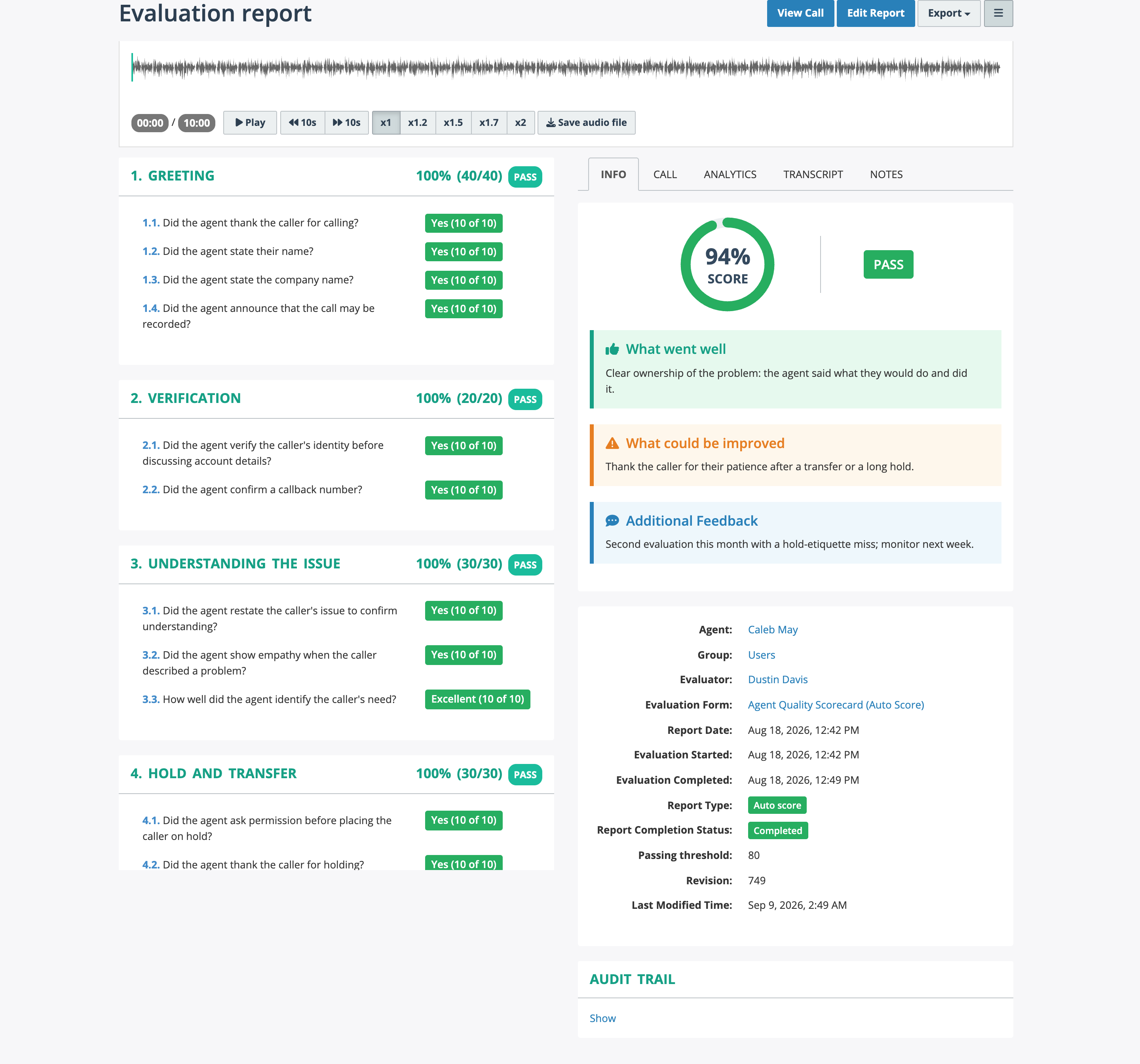
Scorecard sections on the left; score gauge, pass status, and the three feedback fields on the right.
Improvements
- Advanced search offers Evaluation Report - Question Overridden and the original status, score, and points of a question before an override, next to the effective values.
- Advanced search offers Call - Evaluation Report - Feedback (Combined) and separate filters for strengths, improvement areas, and additional feedback.
-
The dashboard QA overview shows an Unanswered bucket for questions without an answer, and keeps the user-or-group drill-down mode you chose.
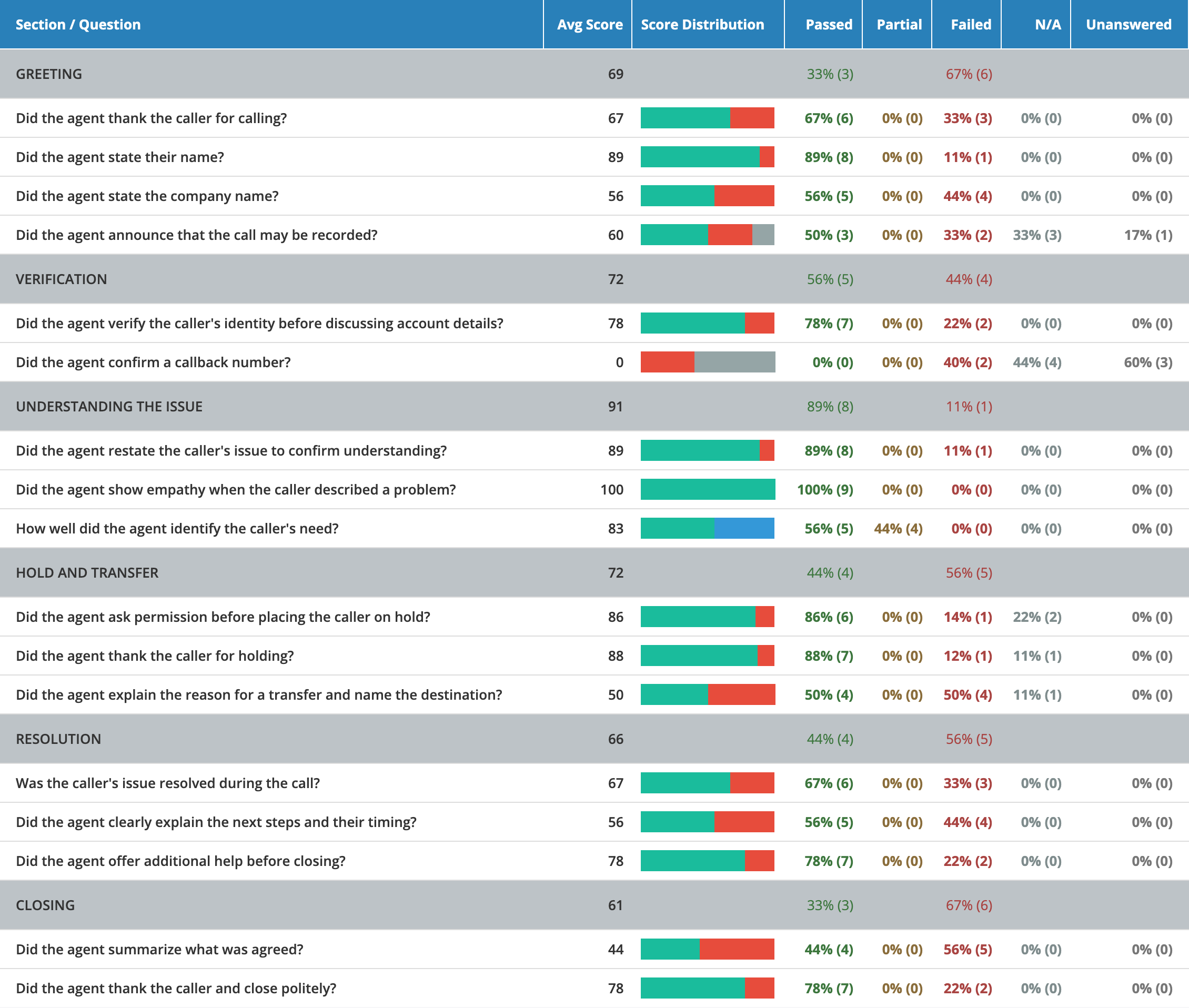
Questions left without an answer get their own Unanswered count and a grey segment in the score distribution bar.
-
An unsupported column in an evaluation report template is reported to you instead of failing with a generic error.
Fixes
- A completed report without a score is no longer shown as failed.
- Calls Summary breakdowns by section or question no longer multiply call-level totals.