Administration
Roles can be limited to tagged calls, global custom fields can be tailored per tenant, and report permissions distinguish public templates from a user's own.
Tag-based access restrictions for roles
New feature for administrators.
A role can be set to Restrict Access by Tags with a list of Tags. Users with that role see only calls that carry at least one of the selected tags, whatever the role's access scope. Use it to give an auditor, a partner, or a specialist team a slice of the recordings without a separate group structure. Private, deleted, and other tenants' tags never grant access, and a restricted role with no valid tags sees no calls.
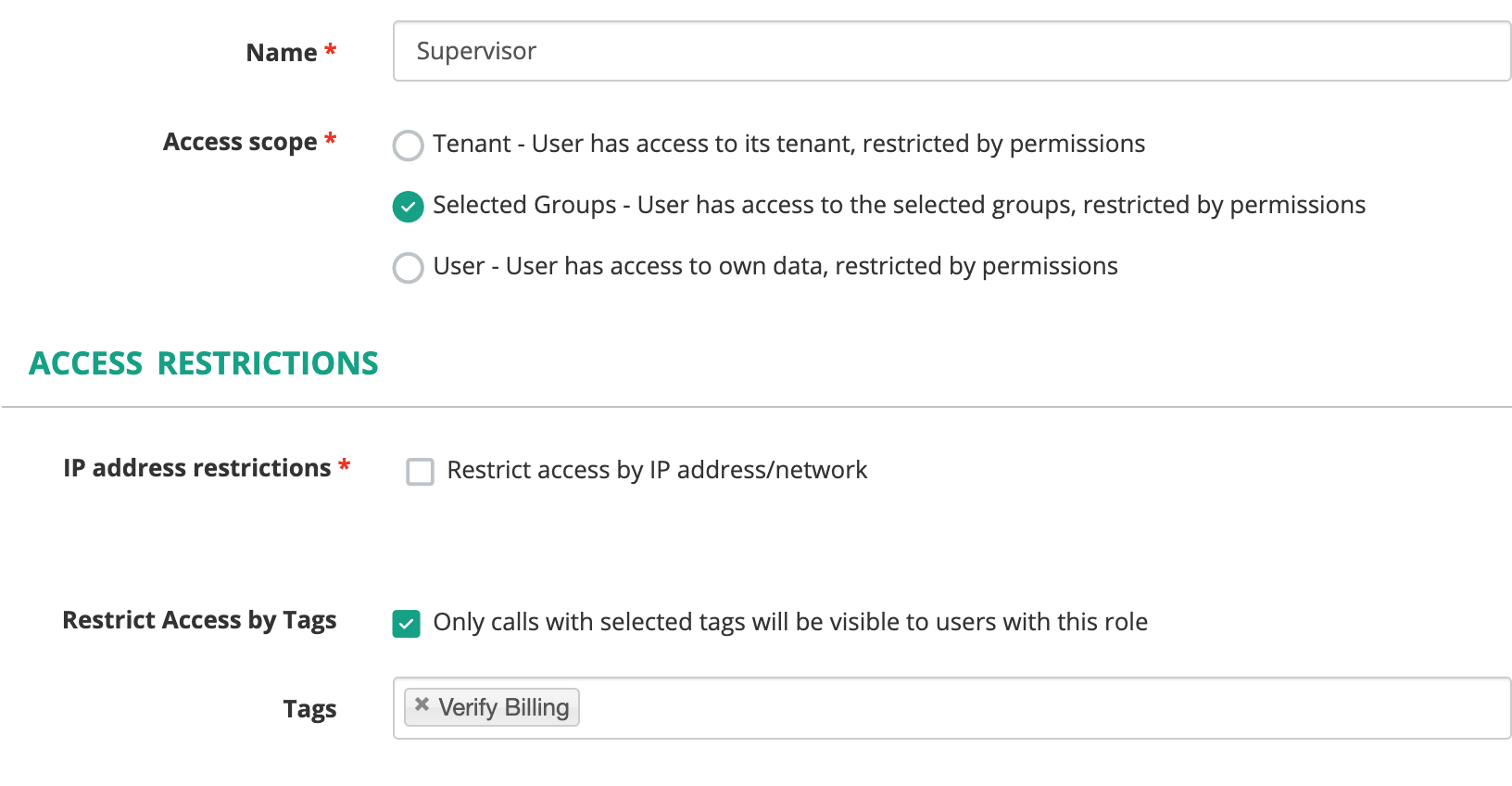
The access restrictions of a role, limited to one tag.
Per-tenant settings for global custom fields
New feature for system administrators.
Custom fields administration is reorganized into Overview, Global fields, Tenant fields, and Overrides tabs. Tenant administrators see System Fields and My Organization Fields. From Overrides, a system administrator enables or disables a global field for one tenant, gives that tenant its own dropdown choices, and shows or hides the field's dashboard tab. A field disabled for a tenant disappears from call details, evaluation reports, dashboards, reports, search, the REST API, webhooks, and AI extraction; stored values are kept.
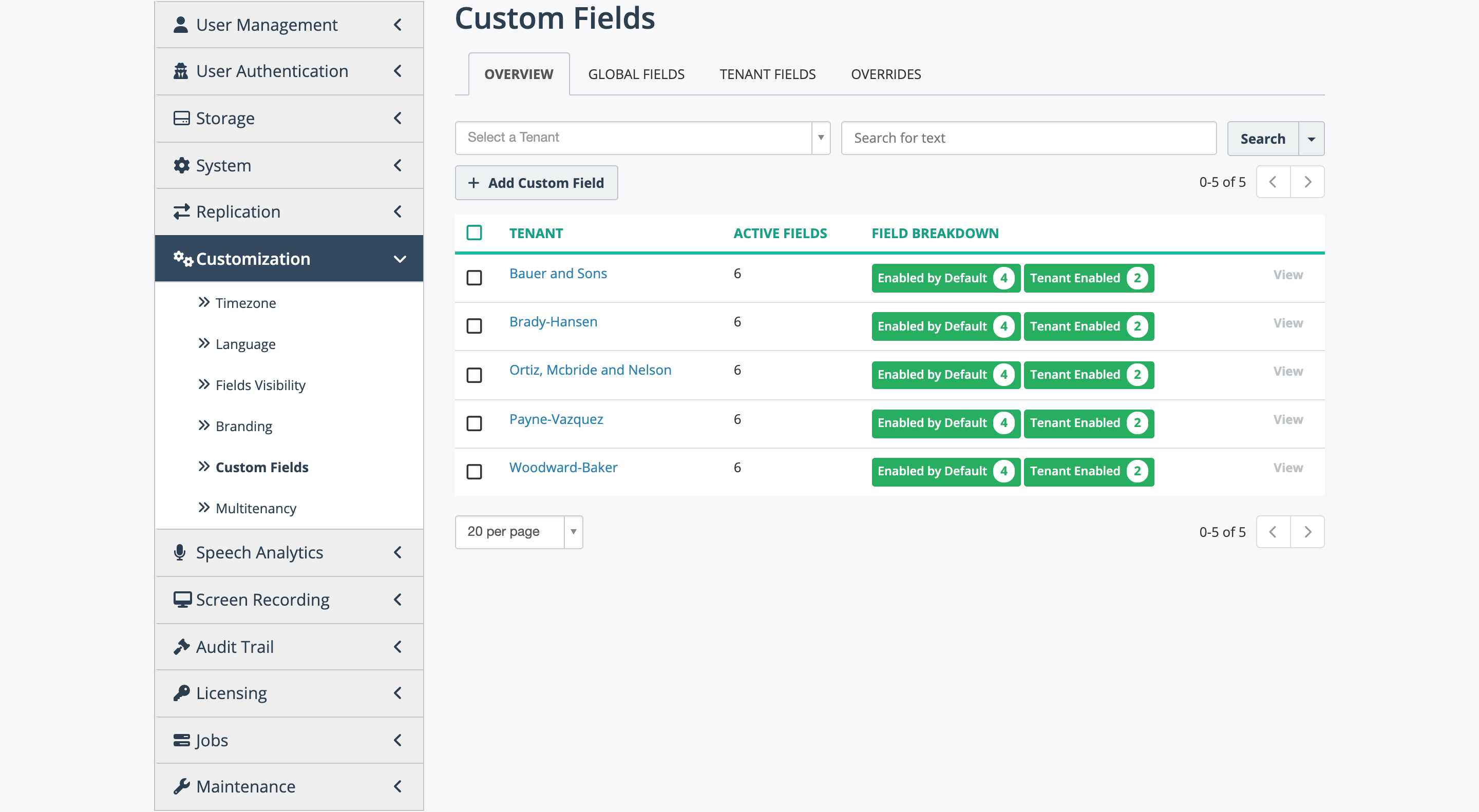
The Overview tab lists each tenant with its active fields.
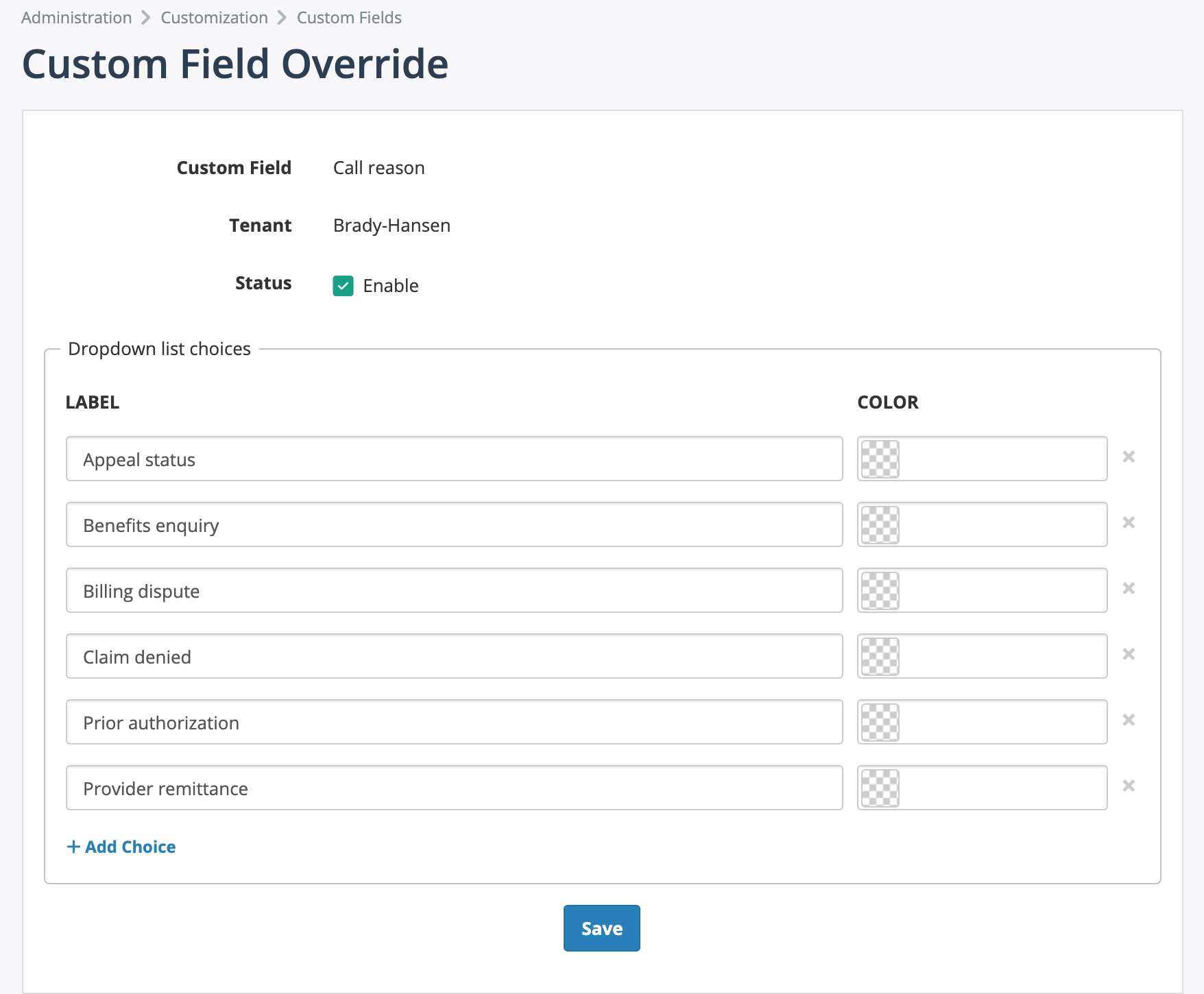
A tenant's own dropdown choices for a global field.
Clone on a field opens the add form prefilled from that field, keeping tenant overrides when cloning a global field to a global field. Copy tenant settings on a field's Tenant Overrides tab copies one tenant's override and choices to another.
See Custom fields.
Separate permissions for public and own reports
Changed behavior for administrators.
The single Reports permission on a role is replaced by Reports - Public for shared templates and Reports - Own for templates the user created, each with View, Create, Edit, Run, and Delete. Existing roles receive both, so nothing changes until you edit a role.
Fixes
- A tenant custom field can have the same name as a global one, and a global field or insight saves without a tenant.
- Zero values of number fields appear on the call analytics tab.
- Recording announcement rules assigned to a tenant appear on the Auto rules tab.
- Recording announcement rule conditions validate correctly against a recorder that runs an older version.
- Managed roles on a role resolve correctly in permission checks and forms.