Pipeline and queues
Processing queues are the glue between the stages of the processing pipeline. A queue collects records (usually conversations) when configured events fire — for example "recording finished" — and jobs attached to the queue consume those records, process them, and can publish them onward to the next queue. Chaining queues and jobs this way is how a conversation flows from capture through transcription, AI analysis, and delivery without any manual intervention.
Queues are managed under Administration › Jobs › Processing Queues; the jobs that read from and write to them are managed in the jobs console.
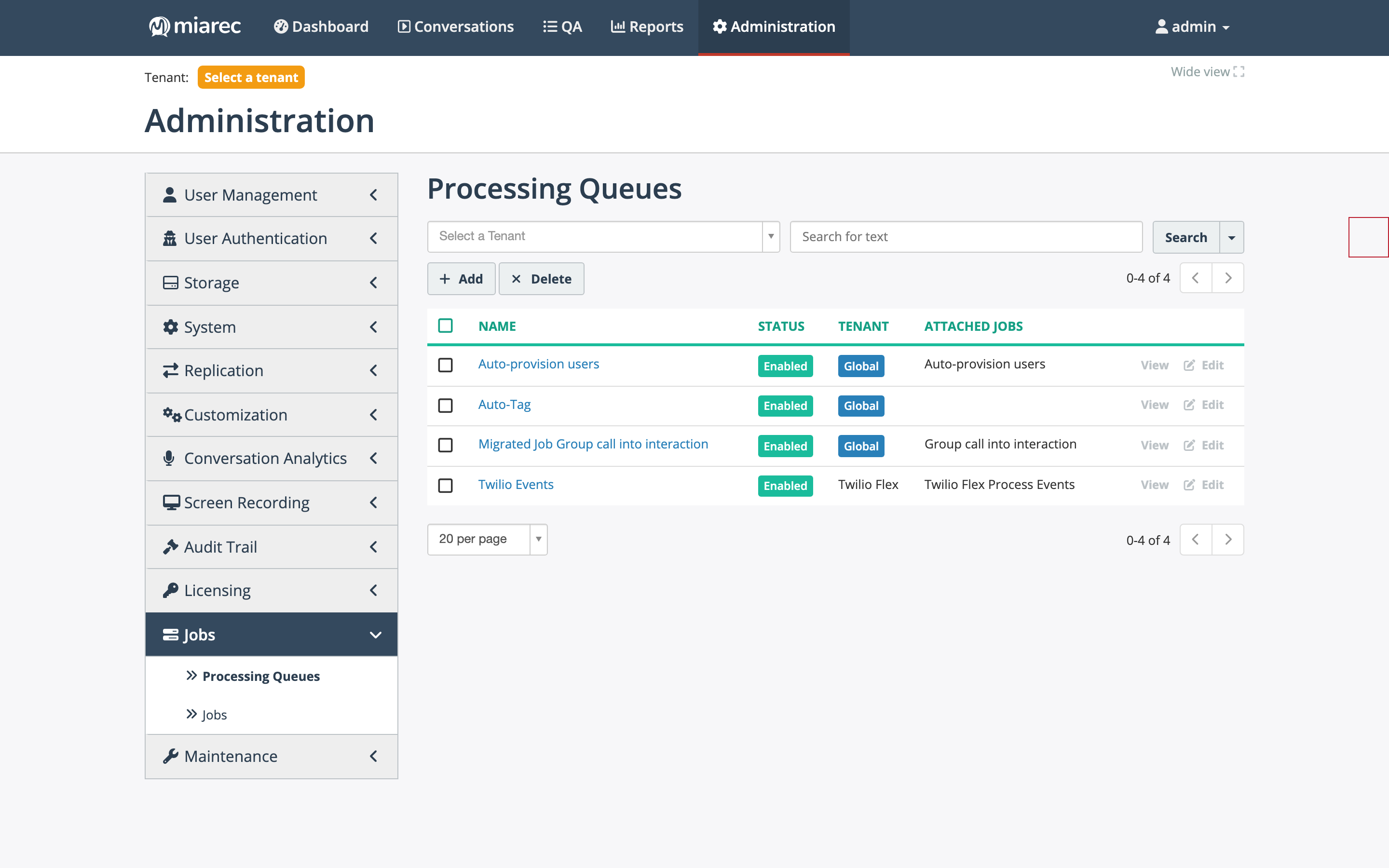
The Processing Queues list. Each queue shows its status, its scope (a Global badge or the owning tenant), and the jobs attached to it. A queue with no attached jobs — like "Auto-Tag" here — collects records that nothing consumes.
How a queue works
A queue definition has three parts:
- Scope — Global queues collect matching records from every tenant; tenant-scoped queues collect records from one tenant only. A global queue combined with job-level filters is the common pattern: the queue collects everything, the consuming job filters out records it should not process (for example, conversations of users without the required license).
- Record type — what kind of records the queue holds: Call (conversations) or Integration events (events pushed by a telephony integration, for example Twilio Flex).
- Source events ("Populate queue with events") — the platform events that add a record to the queue.
Source events for conversation queues:
| Event | Fires when |
|---|---|
| Call - Recording started | A recording begins |
| Call - Recording finished | A recording ends — the usual trigger for transcription |
| Call - Created / Updated / Deleted | A conversation record is inserted, changed, or removed |
| Call - Transcrition completed | A transcript is ready — the usual trigger for AI tasks (the label's typo is in the product) |
| Call - Redaction completed | The redaction job finished with a conversation |
| Call - Upload completed | A manual or API upload finished |
| Call - Replication sent / received | Cross-site replication delivered a conversation |
| Integration event - Created | An integration pushed a new event (integration-events queues) |
How jobs attach to queues
A job can be connected to a queue in three roles:
- Source — the job reads records from this queue and processes them. In the job definition this is the Incremental using queue data source with a selected source queue.
- Destination — the job publishes successfully processed records to this queue (Publish to queue(s) under "Action after successful processing").
- Errors — the job publishes records that failed processing to this queue, so failures can be retried or inspected separately.
A job whose source is a queue and whose schedule is Continuously processes new records as soon as they arrive — this is how the always-on pipeline stages run.
Example: the analytics pipeline
The standard Conversation Analytics wiring illustrates the pattern:
- A global queue with record type Call and source event Call - Recording finished collects every finished recording.
- The Transcribe recordings job consumes that queue continuously, filtered to users with a transcription license, and publishes completed records to a second queue.
- The AI Assistant job consumes the second queue and runs the configured AI tasks on each transcript.
The full setup procedure is in Transcription system configuration and Pipeline overview.
Note
Nothing prevents a queue from existing without attached jobs — records simply accumulate. When you see a growing queue, check that a consuming job exists, is enabled, and is scheduled (ideally Continuously).
Related pages
- Jobs console — where jobs, their runs, and logs are managed.
- Job type reference — every job type, grouped by purpose.
- Pipeline overview — the Conversation Analytics pipeline end to end.