Recording interfaces
A recording interface is the protocol the MiaRec recorder uses to capture audio from a phone system — SIPREC from a session border controller, Cisco Built-in-Bridge from a Cisco call manager, a passive network tap, and so on. This page covers where interfaces are enabled and configured; the recording decision itself (record or not) is made by recording rules.
Where: Administration › System › Recording Interfaces. The page groups the available interfaces and shows an Enabled/Disabled badge with a Configure link for each.
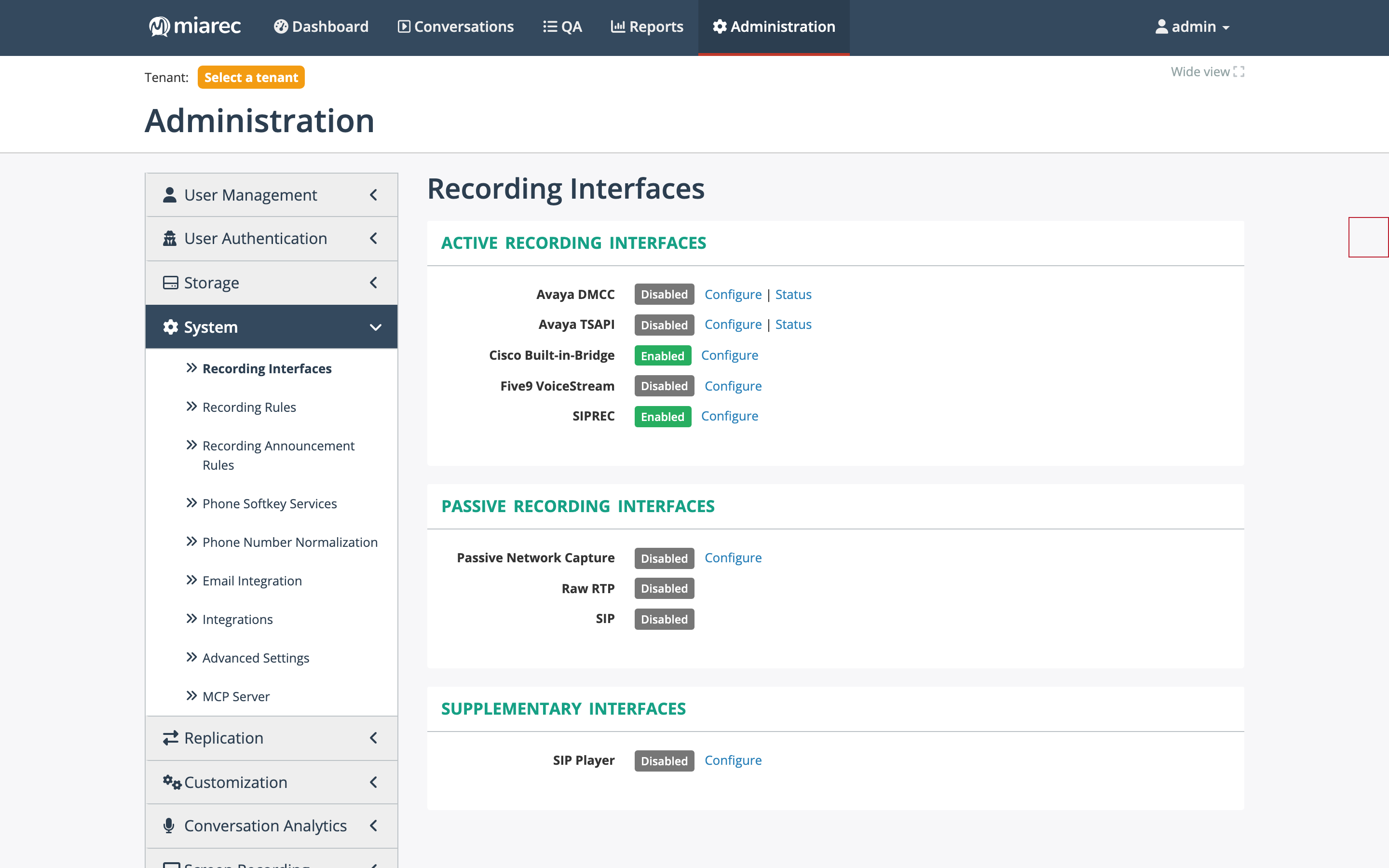
The Recording Interfaces page. Notice the three groups — active, passive, and supplementary — and the per-interface Enabled/Disabled badges; the Avaya interfaces additionally expose a Status link.
Interface groups
- Active recording interfaces — the phone system delivers media to the recorder deliberately: Avaya DMCC, Avaya TSAPI, Cisco Built-in-Bridge, Five9 VoiceStream, and SIPREC. SIPREC is the general-purpose interface used by session border controllers and by the Microsoft Teams integration (the MiaRec TeamsBot sends SIPREC INVITEs to the recorder).
- Passive recording interfaces — the recorder captures traffic from a network tap or mirror port: Passive Network Capture, Raw RTP, and SIP.
- Supplementary interfaces — SIP Player, used for audio playback (for example, live monitoring by phone) rather than capture. Cisco TAPI also appears in this group when its vendor flag is enabled (see below).
The Avaya DMCC and Avaya TSAPI interfaces each provide a Status page with the registered device lists, so you can verify which stations are being observed.
Vendor flags
Some interfaces and their related menus are gated by feature flags in Administration › System › Advanced Settings:
- Cisco TAPI appears in the interface list only when the Cisco TAPI integration flag is allowed.
- Five9 VoiceStream is always listed here, but the dedicated Five9 menu pages (settings, authorizations, subscriptions) appear only when the Five9 integration flag is allowed.
Scope of the settings
Interface settings configured on this page are stored as base recorder settings and apply to all recorder servers in the deployment. In multi-platform deployments (for example, BroadWorks plus Microsoft Teams), you can override individual keys per recorder under Administration › Maintenance › Recording Servers — see Recorder servers.
Phone systems that are integrated through API-based synchronization rather than the recorder — such as Twilio or Webex Native Recording — do not use a recording interface; they are connected through the Integrations catalog.
Related pages
- Recording rules — deciding which calls are recorded.
- Recorder servers — the recorder registry and per-recorder overrides.
- Integrations — API-based telephony integrations.
- Microsoft Teams Integration Guide — an example of a SIPREC-based integration end to end.