Integrations
This release adds the Alianza telephony integration, adds a Redirect URI field to each SSO and Microsoft Teams integration, and fixes the phone softkey services with default settings.
Alianza telephony integration
New feature for system administrators and tenant administrators.
Alianza is available as a platform under Administration > System > Integrations > Add. The system-level settings hold the Alianza Experience ID, Client ID, Client secret, Auth Base URL, API Base URL, and Authorization prompt behavior, plus the Markdown texts of the onboarding messages that tenant administrators see.
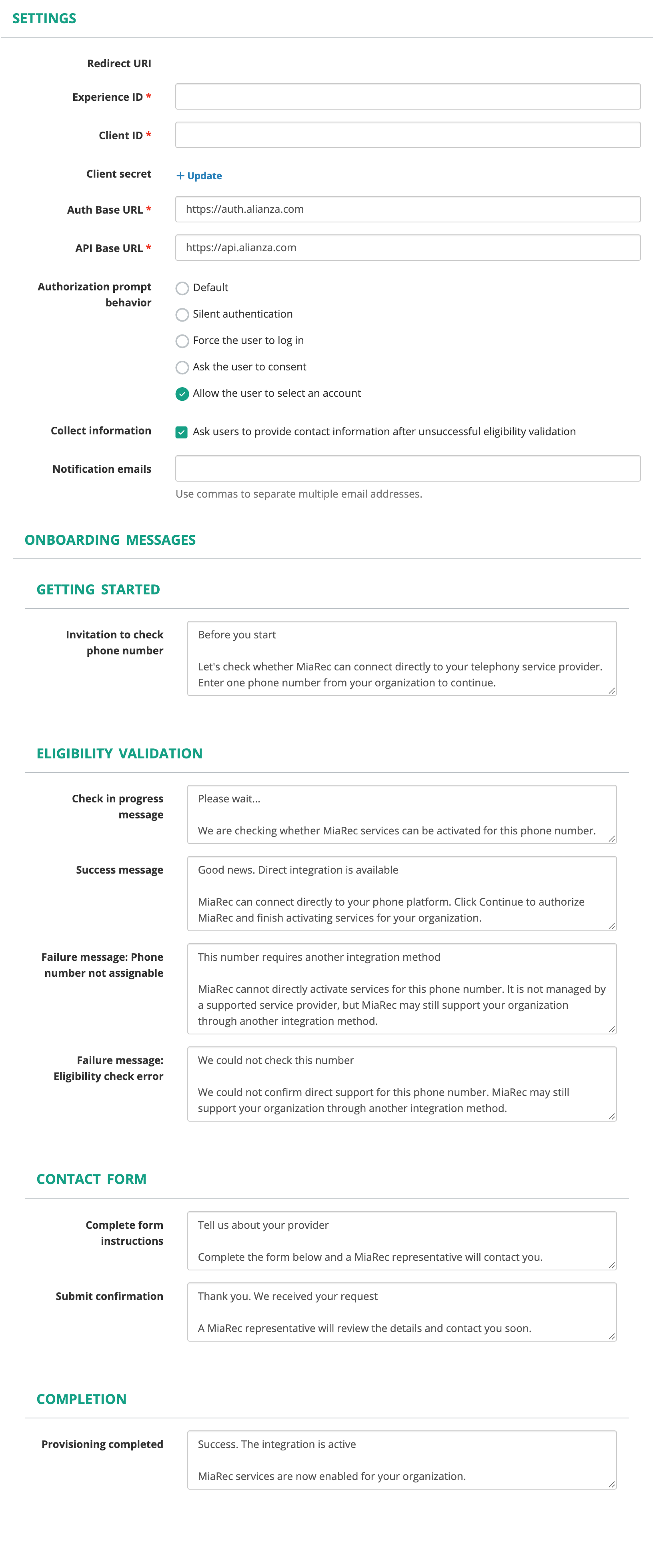
The system-level settings of an Alianza integration, with the onboarding messages.
A tenant administrator opens Administration > Integrations and clicks Connect on the Alianza card. The workflow has three steps. Enter a phone number in E.164 format. Wait for the eligibility check, which offers a contact form when the number is not assignable. Authorize MiaRec with the tenant's Alianza account. On activation, MiaRec provisions the Alianza Experience Connection and assignment, sets the tenant's call association to the Alianza account ID, selects SIPREC, and reloads the active recorders.
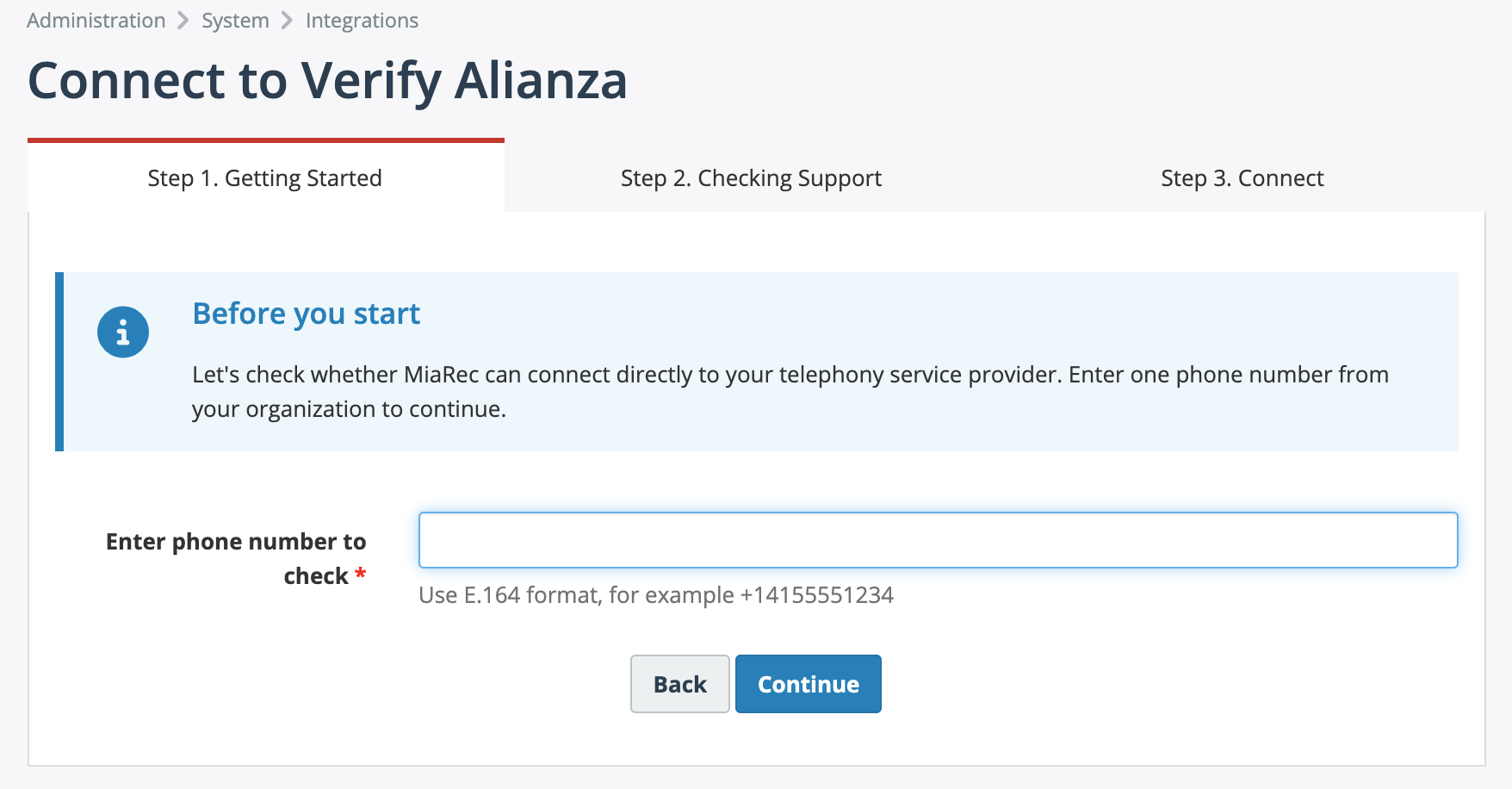
The first step of the tenant connect workflow.
See Integrations and Email.
Redirect URI per integration
Changed behavior for system administrators.
The Google, Microsoft, and Webex SSO integrations and the Microsoft Teams integration each have an editable Redirect URI field, which defaults to the system Web Portal URL. The App Domain field is removed. The login page lists only the SSO integrations whose Redirect URI matches the address in the browser. The connect, test, link account, and activate workflows refuse to start on a different host and link to the correct one. SSO sign-in no longer lands you signed out when the login page and the callback used different origins, and an identity provider outage during sign-in shows a message instead of a server error. The Microsoft Teams add form had a read-only Redirect URI that made it unusable. It is editable now.
Improvements
- Microsoft Teams activation. Activating the Microsoft Teams integration now selects SIPREC as the tenant's VoIP protocol and reloads the active recorders, so recorders apply the tenant's call association condition immediately instead of keeping stale settings.