Advanced settings
Administration › System › Advanced Settings collects system-wide behavior settings and the feature flags that show or hide optional functionality. Flags gate both menus and the matching permission rows in role forms, so a disabled feature disappears from the product entirely.
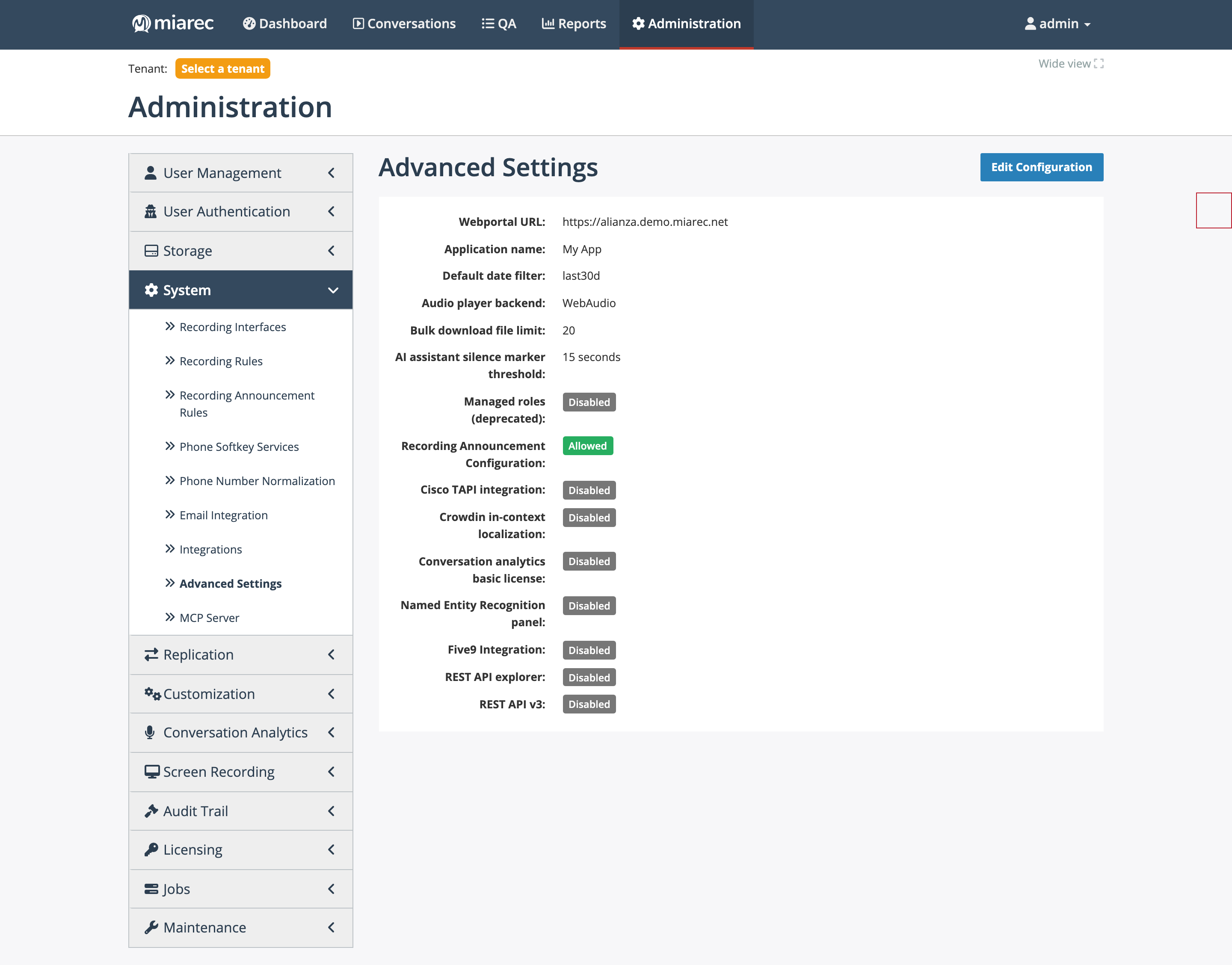
The Advanced Settings view page: general settings on top, feature flags below with Allowed/Disabled badges. Edit Configuration opens the form — which also contains a few flags not shown on this view page (Broadworks and Metaswitch integration).
General settings
| Setting | Meaning |
|---|---|
| Webportal URL | The canonical base URL of the portal, used when building links in emails and integrations. |
| Application name | The product name shown in the UI and browser titles (white-labeling; default "MiaRec"). |
| Default date filter | The initial date filter on list pages: Last 7 days, Last 30 days, or Disabled. |
| Audio player backend | WebAudio or MediaElement — which browser playback engine the players use. |
| Bulk download file limit | Maximum files per bulk ZIP download; default 20, configurable 1–1000. |
| AI assistant silence marker threshold | Minimum silence length (seconds, default 15) marked as a silence gap for the AI assistant. |
Feature flags
| Flag | Effect when allowed |
|---|---|
| Managed roles (deprecated) | Legacy managed-roles behavior; leave disabled. |
| Recording Announcement Configuration | Shows System › Recording Announcement Rules and the per-tenant announcement settings — see Announcement rules. |
| Cisco TAPI integration | Adds the Cisco TAPI recording interface (supported on Windows servers only). |
| Broadworks integration / Metaswitch integration | Enable the Broadworks and Metaswitch portal-authentication and association features — see Portal authentication. Set from the Edit Configuration form. |
| Crowdin in-context localization | Enables the in-UI translation mode — see Localization. |
| Conversation analytics basic license | Unlocks a deprecated per-user license sub-tier slated for removal; do not enable on new systems. |
| Named Entity Recognition panel | Shows the user-facing NER panel on conversation pages. The NER admin pages (engines, jobs) are visible regardless — see Entity recognition. |
| Five9 Integration | Shows the Five9 VoiceStream configuration menus — see Recording interfaces. |
| REST API explorer | Enables the interactive API explorer UI. |
| REST API v3 | Enables the v3 REST API (returns 403 when off). The APIs themselves are documented in the REST API guide. |
Note
Some functionality is gated by build/menu availability rather than by a flag on this page — if a menu item from this guide is missing and no flag matches, verify the portal build before assuming misconfiguration.