Extensions
An extension is the telephony identifier (a phone number, phone name, Broadworks user ID, agent ID, …) that links captured conversations to a user. On a multitenant system, the extension pool is managed centrally by the operator at Administration › User Management › Extensions — a flat, cross-tenant list.
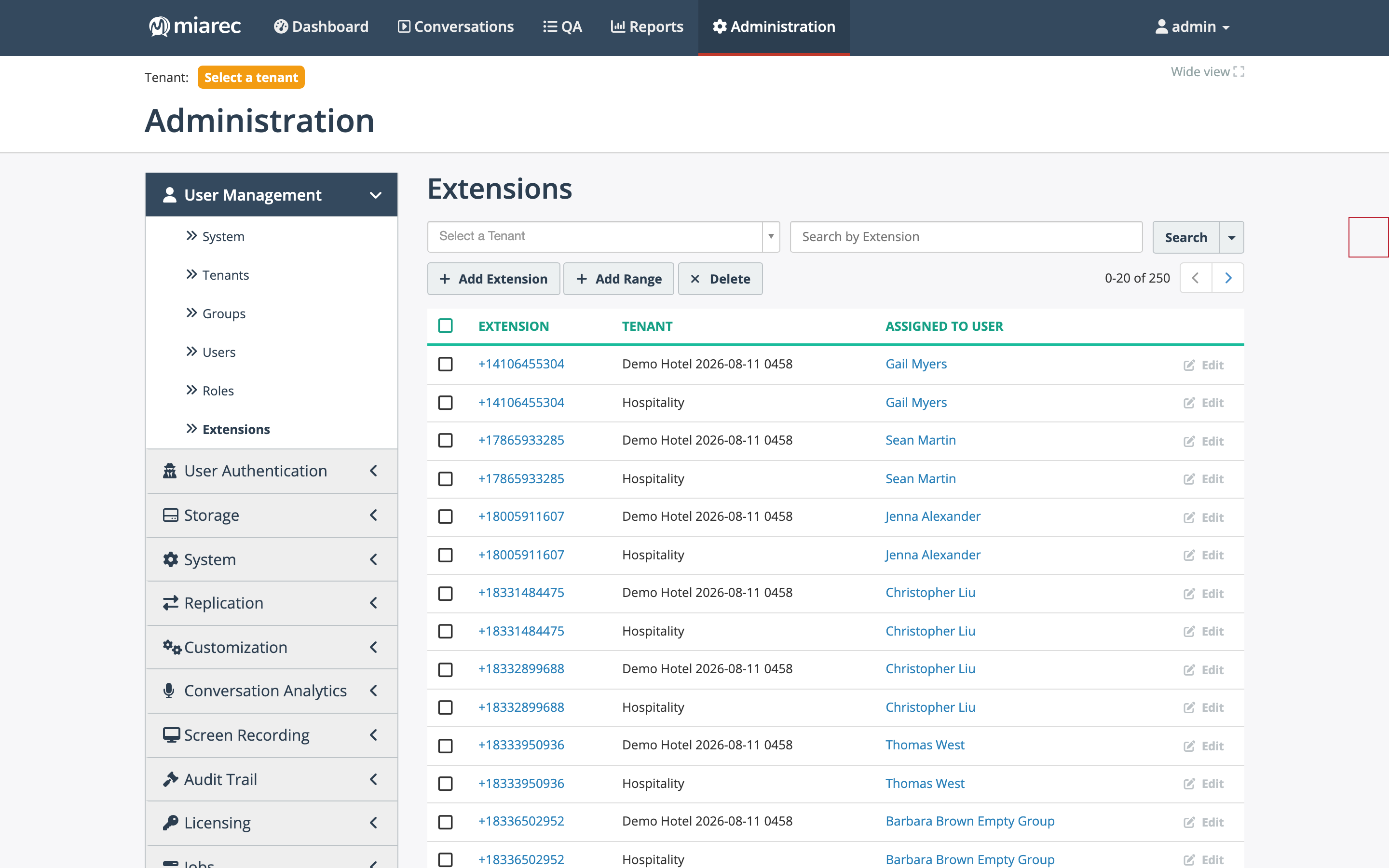
The Extensions list spans all tenants. Each row shows the extension, its tenant, and the user it is assigned to; the same number can legitimately appear in several tenants when their extension uniqueness is "Within tenant only".
What "extension" means per tenant
The semantics of an extension are defined per tenant in its association rules — Extension is … (Phone number, Last digits, Phone name, Broadworks user ID, Agent ID, …) and Extension uniqueness (system-wide, or unique within the tenant only). See Tenant configuration. Choose the semantics that match the customer's phone platform — for example, Broadworks user IDs on a Broadworks platform, phone numbers elsewhere, phone names when several users share a number and only the name part is unique.
Managing the list
- Add Extension — create a single extension: enter the value and the owning Tenant.
- Add Range — create a numeric range at once: Begin Range, End Range, and the Tenant.
- Delete — remove selected extensions.
- Filter with the Select a Tenant drop-down or search by extension value.
Assigning extensions to individual users happens on the user account (or automatically via user auto-provisioning). Tenant administrators can re-allocate the extensions you have granted their tenant among their own users, but the cross-tenant pool itself — which extensions exist and which tenant owns them — is operator-controlled. The customer-side view of associating conversations with users is documented in Associating conversations with users.
Related pages
- Tenant configuration — extension semantics and association rules.
- Onboarding a tenant — where extension setup fits in provisioning.
- Phone number normalization — rewriting numbers before they are matched.