Tenant and user configuration
With the system-wide pieces in place (System configuration), transcription is switched on per tenant and per user:
- Tenant service limits (transcription minutes) — optional
- Tenant license limits (number of licenses) — optional
- User license — required
Tenant configuration
Under Administration › User Management › Tenants, open the tenant. The Tenant Info tab carries both kinds of limits.
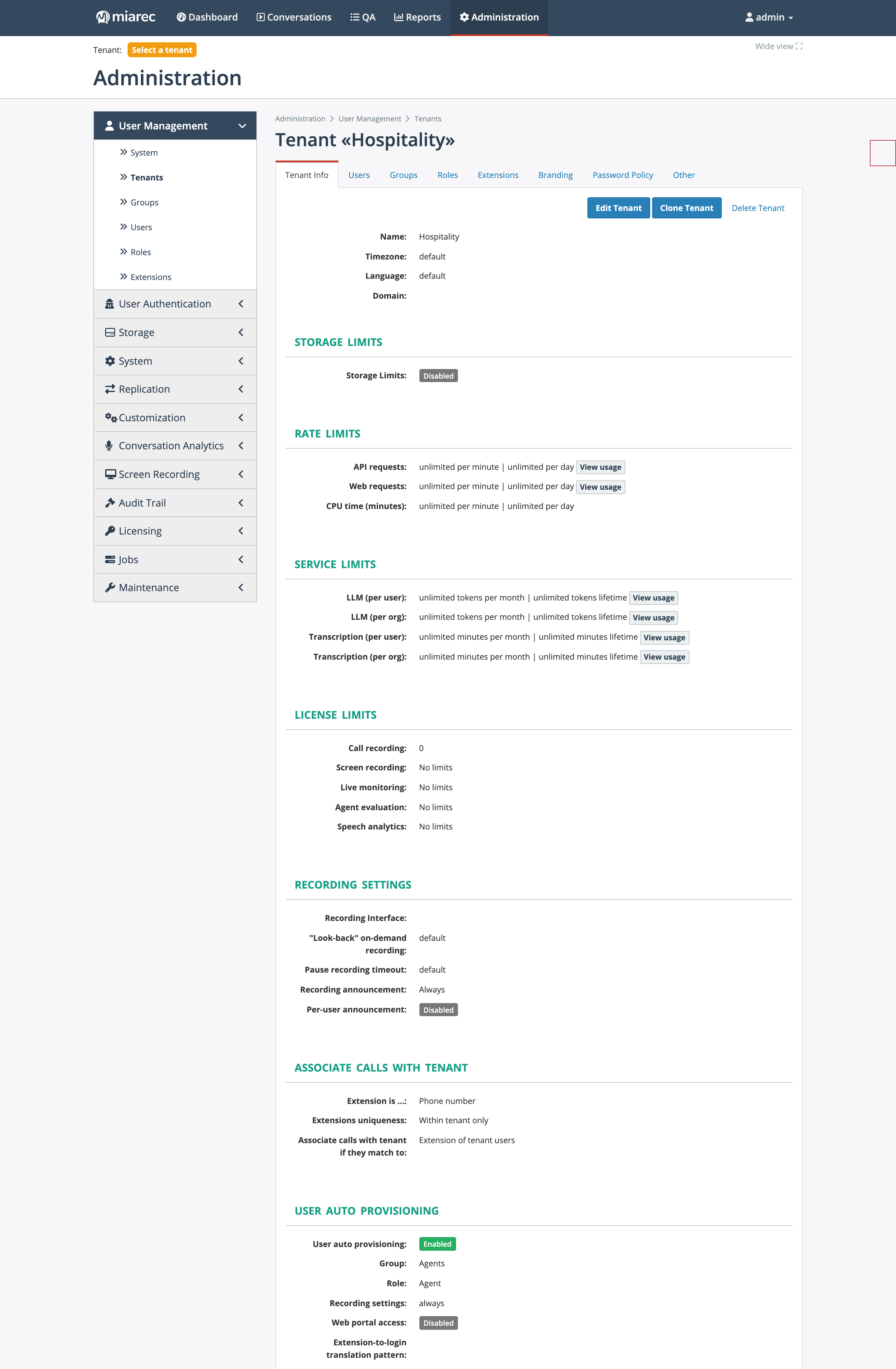
A tenant page. Notice the Service Limits section (LLM tokens and transcription minutes, each per user and per organization, monthly and lifetime, with View usage links) and the License Limits section below it.
Both service and license limits are optional. If not set, the tenant has unlimited transcription usage, provided its users hold valid licenses. Setting reasonable service limits is recommended to avoid unexpected costs: for reference, an average business user consumes approximately 1,000–1,500 transcription minutes per month; a BPO contact-center agent may use up to 5,000–6,000 minutes per month.
Service limits
Four independent knobs cap transcription minutes:
- Monthly limits (reset at the beginning of each month):
- Transcription (minutes/user per month) — maximum minutes per licensed user each month.
- Transcription (minutes/org per month) — maximum minutes for the whole tenant each month.
- Lifetime limits (do not reset):
- Transcription (minutes/user lifetime) and Transcription (minutes/org lifetime).
Any combination can be set; whichever limit is reached first blocks further transcription requests. Refused requests are counted as denied requests on the usage dashboard (see Monitoring and troubleshooting) until the monthly limit resets or the lifetime limit is raised.
Note
Lifetime limits exist for convenience but are not commonly used in practice. Monthly limits align better with billing cycles.
Pooled user limits
User-level limits are pooled across all licensed users in the tenant. If a tenant has 10 licensed users with a limit of 2,000 minutes/user per month, the tenant can use 20,000 minutes per month in total — regardless of how the usage is distributed between users. When an org-level limit is also set, it acts as an additional cap: with an org limit of 15,000 minutes, the tenant gets 15,000 minutes even though the pooled user limit is 20,000.
The same four-knob pattern (per user / per org, monthly / lifetime) also governs LLM tokens for AI tasks.
License limits
The License limits section caps how many licenses of each type can be assigned in the tenant; the row for transcription is Speech analytics (target name: Conversation Analytics license). Without a tenant-level cap, any number of users can hold the license.
If more users have the license assigned than the tenant's cap allows, the system accepts only the first users up to the cap (in an internally determined order) and declines transcription for the rest — the License usage page shows assigned-versus-limit counts per tenant.
Transcription prompt
The tenant's Transcription Prompt (up to 128 characters) is an optional hint passed to the speech-to-text engine — for example, a company name spoken in the call greeting, like "This is Acme Company", so uncommon names are transcribed correctly. It is edited in the tenant's transcription settings and appears as a column in the tenant list.
User configuration
Under Administration › User Management › Users, open the user and assign the Speech analytics license. Only conversations of licensed users are transcribed — the license filter on the transcription job enforces this.
Access control
For users to see transcripts, their role needs the appropriate permissions (Call attributes - Transcript: View, plus view/playback on the conversation resources). Role configuration is a tenant-administration topic — see Roles and permissions in the Administration Guide.
Verification checklist
- In the tenant profile, are transcription Service Limits set (optional but recommended)?
- In the tenant profile, are License limits set for Speech analytics (optional)?
- Is the Speech analytics license assigned to each user whose conversations must be transcribed?
- Do the users' roles grant access to the Call attributes - Transcript resource?