Screen recording
Screen recording captures the agent's desktop during a conversation, so reviewers can see what the agent did — not only hear what was said. It requires a screen recording license per user and a recording client installed on each agent workstation. See Screen recordings in the Overview for the concept, and Subscriptions & Licensing for licensing.
This page is only a pointer to where the organization-level settings live. Full administration — installing and deploying the client, capture settings, troubleshooting — is covered by the dedicated Screen Recording Administration Guide.
Where the settings live
Everything sits under Administration › Screen Recording:
- Screen Recording Settings — the screen recording token used by recording clients to connect, with Edit Configuration.
- Screen Recordings — the list of captured screen recordings, with search, date-range and user/group filters, and delete.
- Client Workstations — the workstation enrollment list. New workstations appear as Pending Authorization; an administrator reviews and Authorizes (or Forbids) each one before it may record.
- Client Sessions — active recording-client sessions (user, login, domain, computer name).
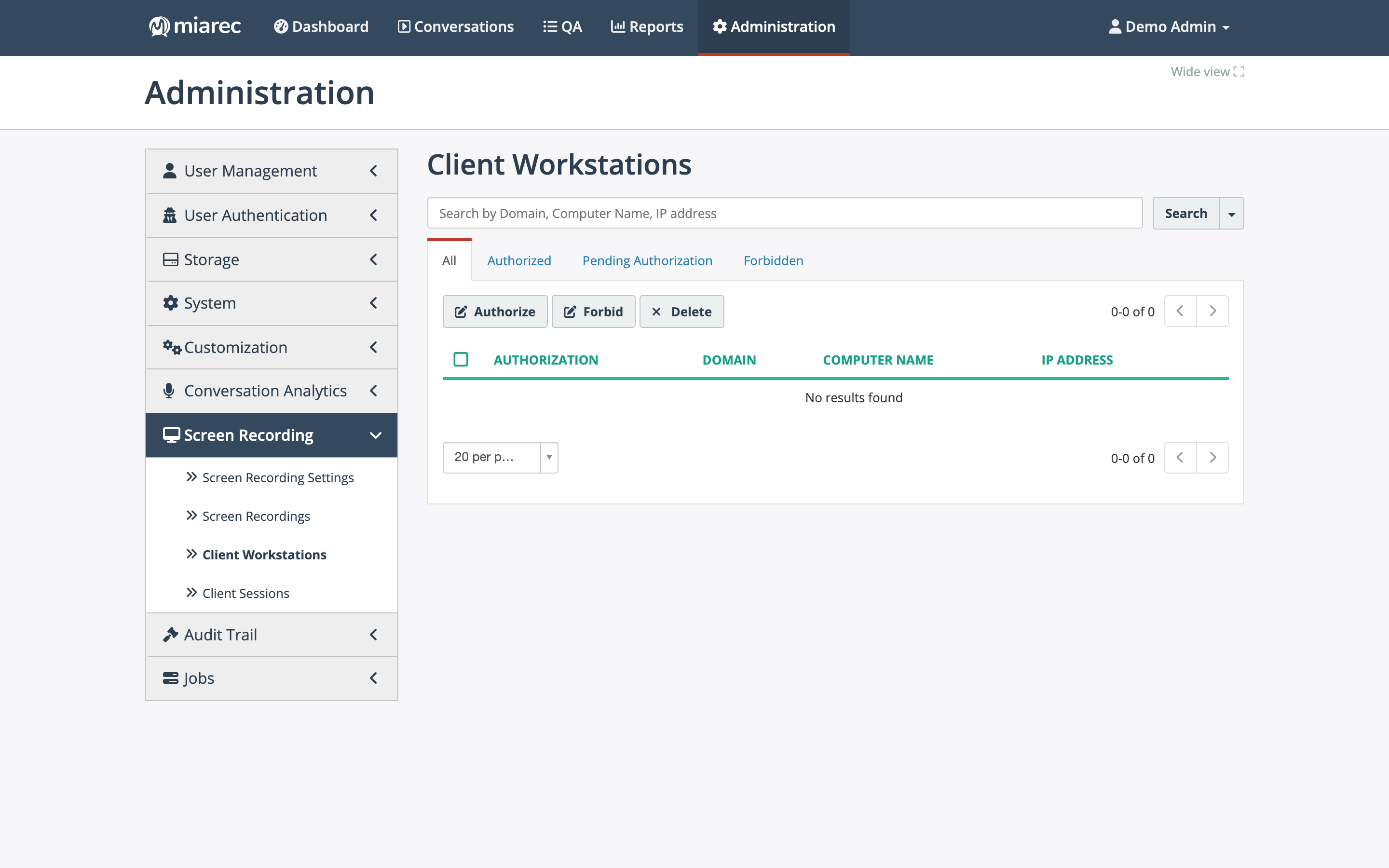
The Client Workstations page. Notice the status tabs — All, Authorized, Pending Authorization, Forbidden — and the Authorize / Forbid / Delete actions: workstations record only after an administrator authorizes them.
Per-user screen recording is tied to the user account: a screen recording license and a screen-recording username on the user's profile — see User accounts.
Related pages
- Screen Recording Administration Guide — the full administration reference.
- List layouts and visible columns — the screen recording lists have configurable layouts too.